1
34
Using Your ALL-IN-WONDER
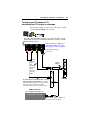
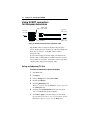
Connecting your PC to a video source
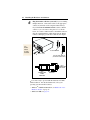
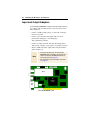
To connect your computer to a VCR or camcorder, attach a
connector cable from the VCR or camcorder to the ATI Input
Adapter (see page 35). Most VCRs and camcorders have a
Composite video output, also referred to as a phono jack or
RCA output. A growing number of VCRs and camcorders
have another type of video output called S-Video, which
provides a higher quality display than Composite video.
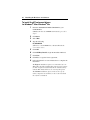
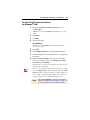
To connect a VCR or camcorder
to your ALL-IN-WONDER
1
Turn off your computer and your VCR or camcorder.
2
Ensure your graphics card is installed correctly.
3
Determine if your VCR or camcorder has an S-Video or
Composite video connection.
4
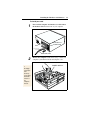
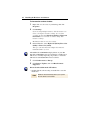
Looking at the back of your computer, locate your graphics
card. Using the ATI Input Adapter, attach one end of the
cable to your graphics card and the other to your VCR or
camcorder.
5
Turn on your computer and your VCR or camcorder.