1
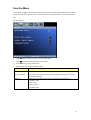
Menu/ System Setup-Basic
1.
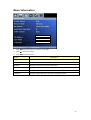
Press MENU of remote control or unit to turn on the OSD.
2.
Press
to System Setup-Basic category.
3.
Press
to select the beneath function for your needs.
4.
Press the
5.
Press Enter key to confirm the selection
6.
Press MENU to leave the menu or press ▲ to back to menu category after Enter key confirming the
key to adjust the modes
selection.
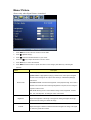
Feature
Description
Allows user to select the Menu language:
Language
English/ Japanese/ Traditional Chinese/ Simplified Chinese
Allow user to select the projector position:
Projector position
Front Table/ Rear Table/ Rear Ceiling/ Front Ceiling
Allow user to select the Black / Blue / Splash screen item when lost signal, or auto search
Blank Screen
source.
21