1
System Hold
System Hold lets you move a call to a system slot (a
temporary holding place) and hold it there. The call
can then be retrieved from any extension.
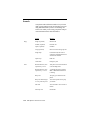
To place a call
on system hold
on a display
telephone
➩
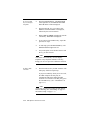
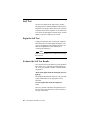
Press the System Hold (SYSHOLD) key.
CALL PARKED IN SLOT and the number of
the slot to which the call has been assigned are
displayed.
➩
Hang up.
➩
Notify the party who will be retrieving the call
of the assigned slot number.
OR
➩
Press the TRANSFR key.
You will hear the confirmation tone, followed
by the dial tone.
➩
Dial * 8.
➩
Dial the number of the system slot. CALL
PARKED IN SLOT, followed by the number of
the slot to which the call has been assigned, is
displayed.
You will hear the confirmation tone.
Hang up.
➩
Notify the party who will be retrieving the call
of the assigned slot number.
Moving Calls 5–15
5. Moving Calls
➩