1
Contents
Introduction ..................................................................... 3
Installing CASIO 3D Converter ...............................................................3
Minimum system requirements.................................................................................... 3
To install CASIO 3D Converter .................................................................................... 4
About Help .............................................................................................4
Converting Files .............................................................. 5
Supported Original File Formats ............................................................5
Converted File Formats ..........................................................................6
To convert a 2D file to a 3D file.................................................................................... 7
To change the movie file conversion settings............................................................ 10
To change the still image file conversion settings ..................................................... 11
To create a new profile .............................................................................................. 12
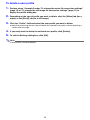
To delete a user profile .............................................................................................. 13
Playing 3D Files ............................................................. 14
3D File Formats Supported for Playback .............................................14
Playing 3D Files Converted with CASIO 3D Converter ........................14
To open a 3D file for playback ................................................................................... 14
3D File Playback Settings.....................................................................16
2