1
12.0 INFORMATION MENU
11.4 ECO Mode
This setting when set to On will minimizes the power consumption in the Standby Mode. Additionally, this product
will automatically switch Off whenever the input signal is interrupted for 30min.
NB: When Eco Mode is On, this unit may no longer be switched On from Standby Mode by using RS-232C
or LAN communication.
11.5 Communication Terminal
Sets the input to which the control device is connected to. It is not possible to use both RS-232C and LAN inputs at
the same time. Settings: RS-232C, LAN.
11.6 Network
When the Communication Terminal selected is LAN, this unit will be visible on the local Network and the following
parameters need to be configured. See “LAN protocol”, page 46 for more details.
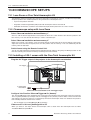
11.7 Remote Code A or B
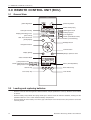
Select in the projector menu the code A or B according to the code selected on the RCU. You can change the code
used by the RCU to communicate with the projector from A to B. To do so, press and hold for 3 sec simultaneously
[MENU]+[BACK] buttons on the RCU. All the buttons on the RCU will blink.
•
Two blinks indicate that B code is used.
•
Three blinks indicate that A code is used.
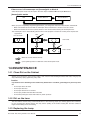
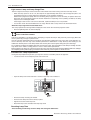
11.8 Lamp Reset
Resets the lamp use time to "0" during the lamp replacement procedure. See “Replacing the Lamp”, page 37 for
more details.
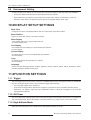
12.0INFORMATION MENU
Input Terminal
Displays the active video input.
Input Source Format
Displays the type of the current video input signal. If PC input is selected, this item cannot be displayed.
Deep Color Depth
Display the bit depth (color depth) of the video signals input from the HDMI terminals. Deep Color is not displayed
for YCbCr 4:2:2 signals.
Resolution
If the active input is PC input., its resolution is displayed.
H. Frequency
In the case of PC signal, the horizontal frequency is displayed.
V. Frequency
In the case of PC signal, the vertical frequency is displayed.
Lamp Time
Displays the accumulated hours of usage of the lamp.
Calibrator
Stores up to 18 ASCII characters set by the Calibrator. Shown only if set during ISF profile adjustment.
R599820 - Blackwing mk2013 User Manual
35