1
If you have not customized the aspect ratio, and the current aspect ratio settings are the same as a
system defined preset. In this case, the system will not allow you to save the preset setting.
Front Panel and On-Screen Displays for IAR
The On-Screen Display (OSD) and the Front Panel Display (FPD) allow you to set the Input Aspect
Ratio.
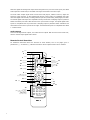
Input Adjust Control
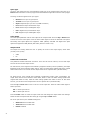
Push the Input Adjust button once to show the current input adjustment function. You can cycle
through the available functions by pushing this button repeatedly.
The available ‘input adjust’ functions are as follows:
• Overscan
• Line Offset
•
Color Space
• Input Level
•
VCR mode
• Film mode
•
HDCP Mode
• Auto Priority
• Audio Input
• AV Lip Sync
Overscan
The Overscan function scales the input image proportionally in both vertical and horizontal
dimensions by the user-specified overscan factor. The purpose of Overscan is to remove unwanted
image portions around the perimeter of the image. The default overscan value is 0, which means
100% of the input image is shown. The maximum overscan value is 20 which means the input image
is scaled up by 120%.
To adjust the overscan level:
1. Push the Up or Down button. The current level is shown.
2. Push the Up or Down button to decrease or increase the amount of overscan. The Overscan value is applied to all input aspect ratios and is independent of the Zoom value.
Line Offset
The image can be adjusted vertically when an SDI or HDMI (480i/576i) input when you use the Line
Offset function. This function can be set independently for both 480i and 576i input formats.
Color Space
The color space setting allows the user to specify what the input signal is on the RGBHV/Component
and HDMI inputs. The YPbPr setting only applies to the RGBHV/Component input. The YCbCr 4:2:2
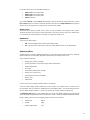
and YCbCr 4:4:4 and Auto settings only apply to the HDMI inputs. The options are:
• RGB
•
YPbPr
•
YCbCr 4:2:2 color space
•
YCbCr 4:4:4 color space
• Auto
20