1
Connecting and ejecting the device
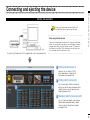
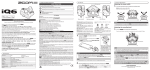
To launch this application manually, double-click
the Edit&Share shortcut icon on your desktop.
When using the Mac version
By connecting the device and PC, the application is launched automatically.
To launch this application manually, launch it from the Application
folder. This manual mainly describes using the Windows version of
the application. When using the Windows version, “PC” appears in
the Library, but on a Mac, “Mac” will appear instead. Please read
the instructions with this difference in mind.
Connecting and ejecting the device
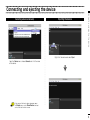
Starting the application
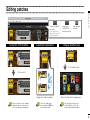
1 Editing patches(see p.4)
1
Here you can turn effects ON/OFF,
adjust parameters, change effects,
and rename and store patches .
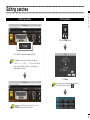
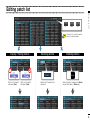
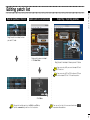
2 Editing patch list(see p.6)
3
2
You can also copy, initialize and rename
patches, as well as move and reorder them,
update them on a connected device and
import and export them.
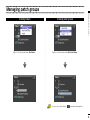
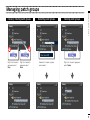
3 Managing patch groups(see p.8)
You can create new folders, copy, rename,
delete, move and reorder folders, update
them on a connected device and import
and export them.
2