1
TW200-E.book Page 0 Monday, September 1, 2003 5:19 PM
About The Manuals and Notations Used
Types of Manual
The documentation for your EPSON projector is divided into the following four manuals. Refer to the
manuals in the order given below.
Unpacking and Installation Guide
Lists the accessories that are provided with the projector.
Safety Instructions/World-Wide Warranty Terms
This manual contains information on using the projector safely, and also includes safety instructions,
world-wide warranty terms booklet and a troubleshooting check sheet.
Be sure to read this manual thoroughly before using the projector.
Setup Guide
Contains information on basic operations for preparing the projector before use (setup and connecting
video equipment or a computer) and for starting projection.
User’s Guide (this manual)
Contains information on adjusting images, using the configuration menus, using the Cinema Color
Editor, troubleshooting and maintenance.
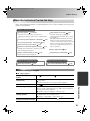
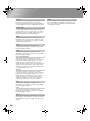
Notations used in this User’s Guide
General information
Indicates procedures where personal injury or damage to the projector may occur if
the procedures are not followed correctly.
Indicates additional information and points which may be useful to know regarding a
topic.
Indicates a page where useful information regarding a topic can be found.
Indicates that an explanation of the underlined word or words in front of this symbol
appears in the glossary of terms.
Refer to the "Glossary" in the "Appendix".
p.45
,
, etc. Indicates buttons on the remote control or projector's control panel.
Meaning of "unit" and "projector"
When "unit" or "projector" appears in the text of this User’s Guide, they may refer to items which are
accessories or optional equipment in addition to the main projector unit itself.