1
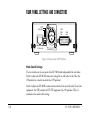
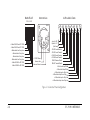
REAR PANEL SETTINGS AND CONNECTORS
CC/TW
Matrix Direct
Matrix
Call Via
RS-422
Data
4-Wire
Audio
Intercom
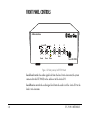
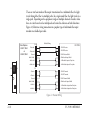
Figure 1-6: Rear panel of an EF-701M unit
Mode-Switch Settings
The two switches on the rear panel of the EF-701M work independently of each other.
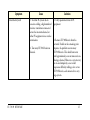
Switch 1 adjusts the EF-701M’s connector settings for use with either 4-wire fiber (the
ON position) or a matrix intercom (the OFF position).
Switch 2 adjusts the EF-701M’s connector intercom levels for use with either Clear-Com
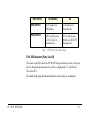
equipment (the OFF position) or RTS-TW equipment (the ON position). Table 1-1
summarizes the mode switch settings.
1-10
EF-701M INTERFACE