1
Section 5: EISA Utility
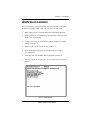
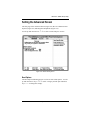
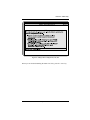
Figure 5-6 Advanced Submenu
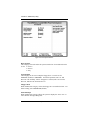
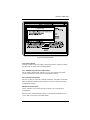
Lock/Unlock Boards
Locking a board will prevent changes from being made to a board’s settings.
You may lock or unlock each board individually.
View Additional Systems Information Menu
This is another submenu that will allow you to view board specifications,
system specifications, used resources and available resources.
Set Verification Mode Menu
You may set this for Automatic (default) or Manual. Automatic Verification
turns on automatic detection and resolution of resource conflicts caused by
configuration changes.
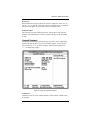
Maintain SCI Files Menu
‘Open’ will allow you to load a SCI file to replace your existing EISA
configuration.
When you have finished making changes to the Advanced Submenu, press
<F10> until you are back to the Main Menu.
M54E2 System Board Manual
5-7