1
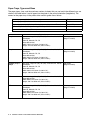
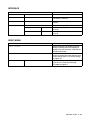
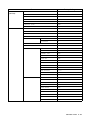
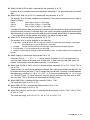
PRINT MENU (continued)
Menu
HP LASERJET
(continue)
EPSON FX-850
Description
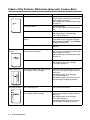
TOP MARGIN
#.##
Set the top margin at a distance from the top
edge of the paper: 0, 0.33, 0.5, 1.0, 1.5 or
2.0. The factory setting is 0.5.
BOTTOM MARGIN
#.##
Set the bottom margin at a distance from the
bottom edge of the paper: 0, 0.33, 0.5, 1.0,
1.5 or 2.0. The factory setting is
0.33(None-HP), 0.5(HP).
LINES
###
Set the number of lines on each page from 5
to 128 lines.
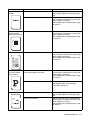
FONT NO.
I000:###
Enter the code for the font that you want.
FONT PITCH/POINT
##.##
Enter the size you want the font to be
printed.
CHARACTER SET
PC-8/...
Set the symbol set or the character set.
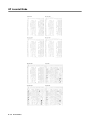
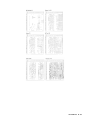
Print code table.
TABLE PRINT
IBM PROPRINTER
OFF/ON
AUTO MASK
OFF/ON
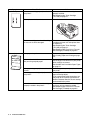
LEFT MARGIN
##
Set the left margin at column 0 to 70 columns
at 10 cpi.
RIGHT MARGIN
##
Set the right margin at column 10 to 80
columns at 10 cpi.
TOP MARGIN
#.##
Set the top margin at a distance from the top
edge of the paper: 0, 0.33, 0.5, 1.0, 1.5 or
2.0. The factory setting is 0.33.
BOTTOM MARGIN
#.##
Set the bottom margin at a distance from the
bottom edge of the paper: 0, 0.33, 0.5, 1.0,
1.5 or 2.0. The factory setting is 0.33.
LINES
###
Set the number of lines on each page from 5
to 128 lines.
FONT NO.
I000:###
Enter the code for the font that you want.
FONT PITCH/POINT
##.##
Enter the size you want the font to be
printed.
CHARACTER SET
PC-8/...
Set the symbol set or the character set.
Print code table.
TABLE PRINT
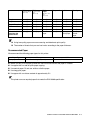
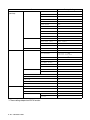
4 - 17 CONTROL PANEL
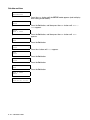
ON: CR→CR+LF,
OFF: CR→CR
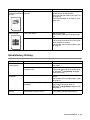
AUTO LF
AUTO LF
OFF/ON
ON: CR→CR+LF,
OFF: CR→CR
Select whether you want the printer to auto
Line Feed.
AUTO CR
OFF/ON
Select whether you want the printer to auto
Carriage Return.
AUTO MASK
OFF/ON
LEFT MARGIN
##
Set the left margin at column 0 to 70 columns
at 10 cpi.
RIGHT MARGIN
##
Set the right margin at column 10 to 80
columns at 10 cpi.