1
3
Advanced
Features
PHOTOGRAPHY FUNCTIONS
TAKING PICTURES — SELECTING THE CAMERA SETTINGS
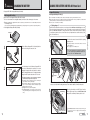
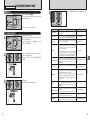
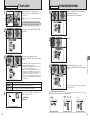
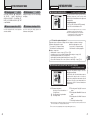
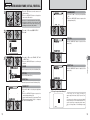
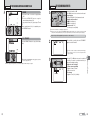
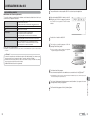
Specify the camera settings for taking pictures to get the best result. A general
guide is given below.
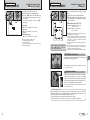
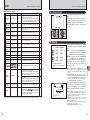
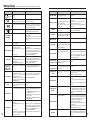
✓: YES , —: NO
?
Photography mode
SUNSET
MUSEUM
PARTY
TEXT
MANUAL
2
3
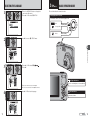
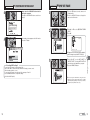
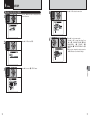
Specify the photography settings (➡P.36-39).
e
d
*
Macro
Used for close-up shots.
Flash
Used for shots in dark locations or for backlit subjects, etc.
Self-timer Used in situations such as group shots where the photographer is
included in the shot.
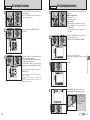
Take the pictures (check the exposure and focus ➡ adjust
the shot composition ➡ press the shutter button down fully).
—
✓
✓
P.37
✓
✓
—
—
✓
— — — — —
✓
b Red-eye reduction
P.37
✓
✓
— — —
✓
✓
—
— —
✓
d Forced flash
P.38
✓
✓
—
✓
—
✓
✓
— — —
✓
✓
v Suppressed flash
P.38
✓
✓
✓
✓
✓
✓
✓
✓
✓
✓
c Slow synchro
P.38
—
✓
— —
✓
✓
✓
— — — —
✓
n Red-eye reduction + Slow synchro
P.38
—
✓
— —
✓
✓
✓
— — — —
✓
P.39
✓
✓
✓
✓
✓
✓
✓
✓
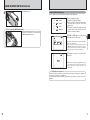
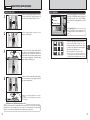
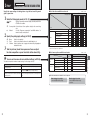
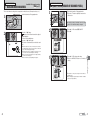
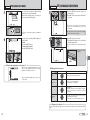
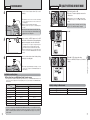
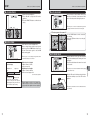
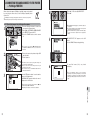
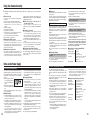
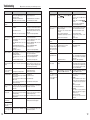
The table below provides a number of sample settings. Use the settings effectively.
To achieve this result
Take pictures in B mode (see “Using the Camera”).
To prevent the subject from being overexposed or Use exposure compensation.
underexposed and to show the substance and textures Select (+) if the background is pale and (–) if the background is
of the subject clearly
dark.
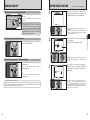
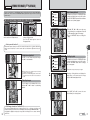
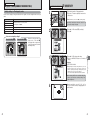
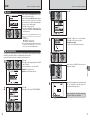
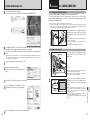
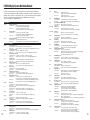
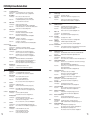
■ List of menu options available in each mode
✓
✓
✓
✓
FinePix Photo
mode
Menu options
Factory
default
✓: YES , —: NO
B
?
m /,/./©/Ü/Ö/ÿ/Ÿ/Ù/Õ
s
˘ Quality
P.41
5N
✓
✓
✓
û ISO
P.43
AUTO
✓
✓
✓
ü FinePix COLOR
P.44
STD
✓
✓
¨ Exposure compensation
P.47
±0
—
—
✓
» White balance
P.47
AUTO
—
—
✓
P.48
OFF
✓
✓
✓
Å Continuous shooting
✽
✓
✽ p-CHROME (➡P.44) is fixed when selecting “Ù” FLOWER CLOSE-UP.
3
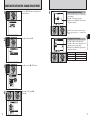
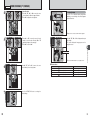
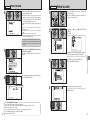
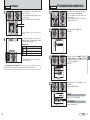
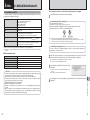
When the camera does not obtain the correct exposure.
When the image is too bright
Lower the û sensitivity setting.
32
✓
—
✽ When selecting “Ù” FLOWER CLOSE-UP or “Õ” TEXT in “?” SCENE POSITION, you can shoot in the shooting
distance from close-up shots to distant view.
Sample settings
To prevent the image from having a red or blue cast Change the “White balance” setting in the photography menu.
due to the light source
To avoid missing snapshot opportunities
* Self-timer
✓
✓
Advanced Features
★ You can use the menus for more detailed settings (➡P.41-48).
d Flash
BEACH & SNOW
✓
AUTO Auto flash
✓
NIGHT
s
e Macro
SPORT
P.34
— — — — — —
Function
LANDSCAPE
✓
B
B Auto
?
Õs
P.36
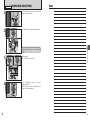
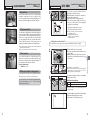
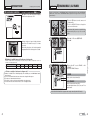
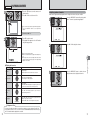
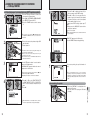
Select the Photography mode (➡P.34, 35).
Specifies all settings other than Quality, Sensitivity and FinePix
COLOR on the camera.
Scene position Selects the best Scene position setting for the scene being
shot.
Manual
Sets the “Exposure compensation” and “White balance” to
manual to easily control yourself.
Ù FLOWER CLOSE-UP
m , . © Ü Ö ÿ Ÿ
PORTRAIT
1
■ List of functions available in each mode
When the image is too dark
Raise the û sensitivity setting.
Use flash.
33