1
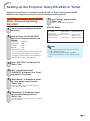
Setting up the Projector Using RS-232C or Telnet
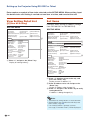
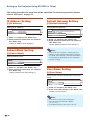
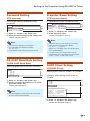
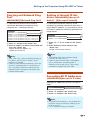
Save Settings and Quit
([S]Save & Quit)
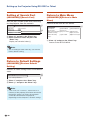
Quit without Saving Settings ([Q]Quit Unchanged)
Save set values and quit menu.
Quit menu without saving setting values.
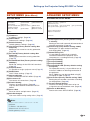
▼SETUP MENU
▼SETUP MENU
----------------------------SETUP MENU--------------------------[1]IP Address
[2]Subnet Mask
[3]Default Gateway
[4]User Name
[5]Password
[6]RS-232C Baud Rate [7]Projector Name [8]DHCP Client
[A]Advanced Setup
[D]Disconnect All
[V]View All Setting
[S]Save & Quit
[Q]Quit Unchanged
----------------------------SETUP MENU--------------------------[1]IP Address
[2]Subnet Mask [3]Default Gateway
[4]User Name
[5]Password
[6]RS-232C Baud Rate [7]Projector Name [8]DHCP Client
[A]Advanced Setup
[D]Disconnect All
[V]View All Setting
[S]Save & Quit
[Q]Quit Unchanged
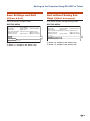
setup>s
All Connection will be disconnect.
Continue(y/n)? y
Apply New setting...Done.
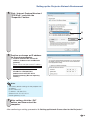
1 Enter “s” and press the “Enter” key.
2 Enter “y” and press the “Enter” key.
1
2
setup>q
Quit Without Saving(y/n)? y
Setting Unchanged.
1
2
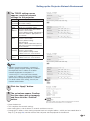
1 Enter “q” and press the “Enter” key.
2 Enter “y” and press the “Enter” key.
-25