1
14
Auto Power Off (APO)
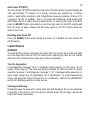
The Auto Power Off (APO) mode turns the meter off automatically to extend battery life
after approximately 17 minutes of no activity. Activities are specified as: 1) Rotary
switch or push button operations, and 2) Significant measuring readings of above 10%
of range or non-OL Ω readings. That is, the meter will intelligently avoid entering the
APO mode when it is under normal measurements. To wake up the meter from APO,
press the SELECT button momentarily or turn the rotary switch to the OFF position and
then turn back on again. Always turn the rotary switch to the OFF position when the
meter is not in use
Disabling Auto Power Off
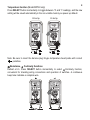
Press the RANGE button while turning the meter on to disable the Auto Power Off
(APO) feature.
5) MAINTENANCE
WARNING
To avoid electrical shock, disconnect the meter from any circuit, remove the test leads
from the input jacks and turn OFF the meter before opening the case. Do not operate
with open case. Install only the same type of fuse or equivalent
Turn-On diagnostics
If self-diagnostic message “rE-O” is displayed while powering on the meter, do not
switch off the meter off. The meter will quickly complete the task and return to normal
operation. However, if self-diagnostic message “C_Er” is displayed while powering on,
some meter ranges may be significantly out of specification. To avoid measurement
errors, stop using the meter and send it in for re-calibration. Refer to the WARRANTY
section for obtaining warranty or repair service.
Cleaning and Storage
Periodically wipe the case with a damp cloth and mild detergent; do not use abrasives
or solvents. If the meter is not to be used for periods longer than 60 days, remove the
battery and store it separately