1
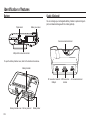
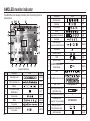
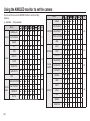
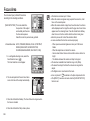
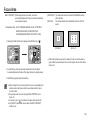
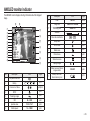
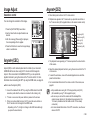
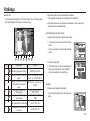
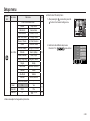
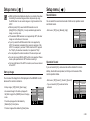
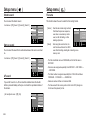
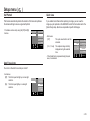
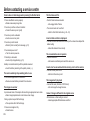
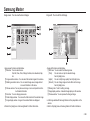
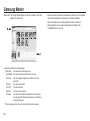
AMOLED monitor indicator
The AMOLED monitor displays information about the shooting functions
and selections.
1
26 25
24
23
22
2
21
3
27
20
4
19
6
7
8
9
10
18
5
11
12
13
14
15
16
17
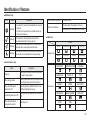
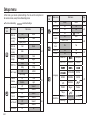
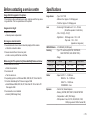
No.
Description
9
Shooting mode
Page
p.36
10
Metering
p.36
11
Image adjust
p.37
12
Effect
13
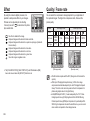
Image quality / Frame rate
14
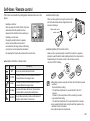
Self-timer
15
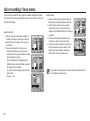
Voice recording /
Voice memo / Without Sound
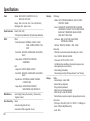
Description
Icons
Page
1
Recording mode
p.21~24
2
Photo Style Selector
p.25
3
Battery
p.15
4
OIS (Optical Image
Stabilization)
p.27
5
Focus mode
p.31
Flash
p.32~33
7
Image size
p.33
8
Face detection / Self portrait /
Focus Area
p.34~35
6
<< 20 >>
p.38
/
p.38
p.39
/
/
p.40/p.25
16
Setup menu
p.62~72
17
Extension menu
p.18
18
ACB
19
Aperture Value
20
Exposure compensation /
Shutter Speed
21
ISO
22
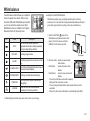
White Balance/Scene mode
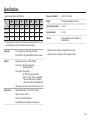
[Image & Full Status]
No.
Icons
23
Date / Time
24
Optical / Digital Zoom bar /
Digital Zoom rate
p.43
F2.8
/ 1/30
p.42/p.43
p.42
p.41/p.44
/
01:00 PM 2008.01.01
p.70
p.28~29
Number of available shots remaining
5
Remaining time
(Movie clip / Voice recording)
00:01:00/01:00:00
26
Memory card icon /
Internal memory icon
/
27
Auto focus area
25
p.43
p.17
p.15
p.34~35