1
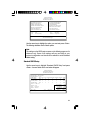
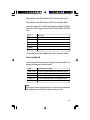
If the controller of the HDD interface is ESDI, you must select “Type 1”.
If the controller of the HDD interface is SCSI, you must select “None”.
If you select Type “Auto”, the BIOS will auto-detect the HDD & CD-ROM
drive at the POST stage and show the IDE for the HDD & CD-ROM
drive.
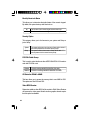
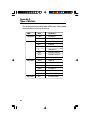
Type
Drive type
Cyls
Number of cylinders
Heads
Number of heads
Precomp
Write precomp
Landzone
Landing zone
Sectors
Number of sectors
Mode
Mode type
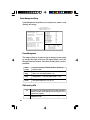
If a hard disk has not been installed, select “None”and press <Enter>.
Drive A and Drive B
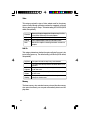
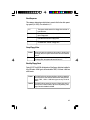
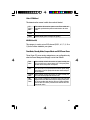
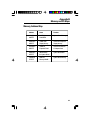
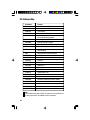
These categories identify the types of floppy disk drives installed. The
following are the options for drives A and B.
None
No floppy drive is installed
360K, 5.25 in.
5-1/4 inch PC-type standard drive; 360 kilobyte capacity
1.2M, 5.25 in.
5-1/4 inch AT-type high-density drive; 1.2 megabyte capacity
720K, 3.5 in.
3-1/2 inch double-sided drive; 720 kilobyte capacity
1.44M, 3.5 in.
3-1/2 inch double-sided drive; 1.44 megabyte capacity
2.88M, 3.5 in.
3-1/2 inch double-sided drive; 2.88 megabyte capacity
Note:
Choosing an incorrect type might cause your system to format the floppy
disk improperly, and you will not be able to access your data.
33