1
4
Data Acquisition
Script entry
Script entry
Scripts are special programs, that
execute automatically. Agilent
includes scripts with the Agilent
MassHunter Workstation
Software, and you can write your
own scripts.
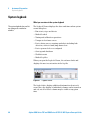
You can enter scripts to be run at the following times:
• Before or after samples as part of the method
The sample method can include pre- and post-analysis
scripts. (See Chapter 3, Acquisition Methods)
• Before or after samples in the worklist or batch (insert or
add scripts, respectively)
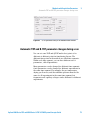
• Before or after a worklist and after data acquisition
(Figure 55 on page 113)
Scripts provided by Agilent should not be modified since these
files may be overwritten when upgrading the Agilent software.
For detailed instructions on how to enter scripts, see the online
Help. For instructions on how to create scripts, see your Agilent
application engineer.
Agilent includes scripts with the software to help you
automatically, instead of manually, execute processes such as
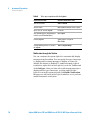
column conditioning and valve shutoff. See Table 10 on page 95
for a list of possible scripts.
106
Agilent 6200 Series TOF and 6500 Series Q-TOF LC/MS System Concepts Guide