1
4
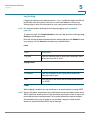
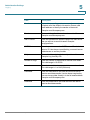
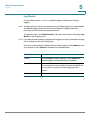
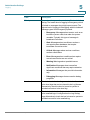
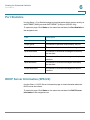
Configuring Voice
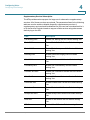
Configuring Voice Settings
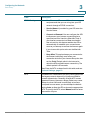
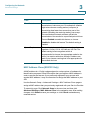
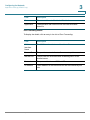
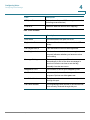
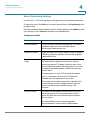
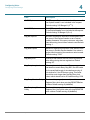
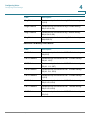
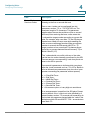
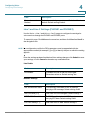
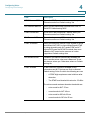
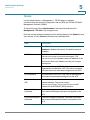
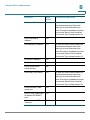
Field
Description
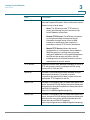
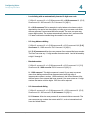
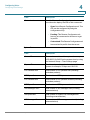
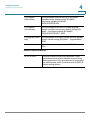
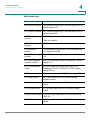
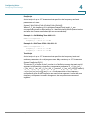
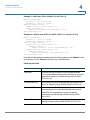
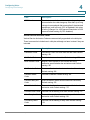
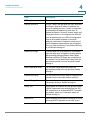
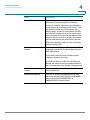
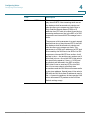
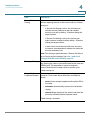
Busy Tone
Played when a 486 RSC is received for an outbound call.
Default setting: 480@-5,620@-5;10(.5/.5/1+2)
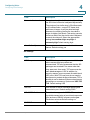
Reorder Tone
Played when an outbound call has failed, or after the far
end hangs up during an established call. Reorder Tone is
played automatically when Dial Tone or any of its
alternatives times out. Default setting: 480@-5,620@5;10(.25/.25/1+2)
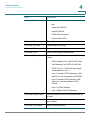
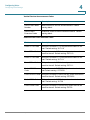
Off Hook
WarningTone
Played when the caller has not properly placed the
handset on the cradle. Off Hook Warning Tone is played
when the Reorder Tone times out. Default setting: 480@3,620@3;10(.125/.125/1+2)
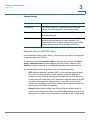
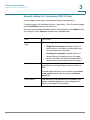
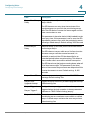
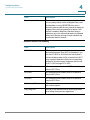
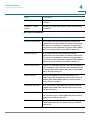
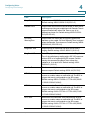
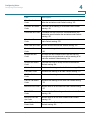
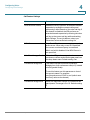
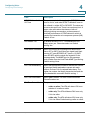
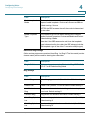
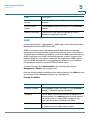
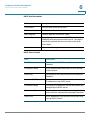
Ring Back Tone
Played during an outbound call when the far end is
ringing. Default setting: 440@-5,480@-5;*(2/4/1+2)
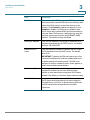
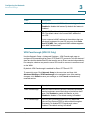
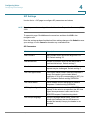
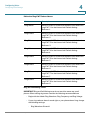
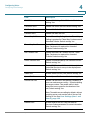
Ring Back 2 Tone
Your ATA plays this ringback tone instead of Ring Back
Tone if the called party replies with a SIP 182 response
without SDP to its outbound INVITE request. Default
setting: the same as Ring Back Tone, except the
cadence is 1s on and 1s off. Default setting: 440@5,480@-5;*(1/1/1+2)
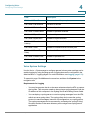
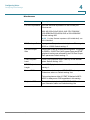
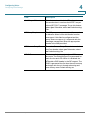
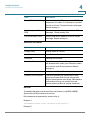
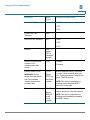
Confirm Tone
Brief tone to notify the user that the last input value has
been accepted. Default setting: 600@-4;1(.25/.25/1)
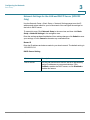
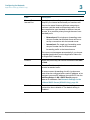
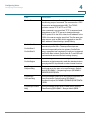
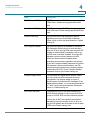
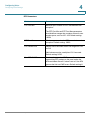
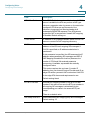
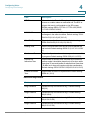
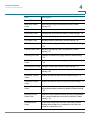
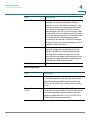
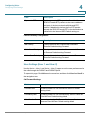
SIT1 Tone
Alternative to the Reorder Tone played when an error
occurs as a caller makes an outbound call. The RSC to
trigger this tone is configurable on the SIP screen.
Default setting: 985@-4,1428@-4,1777@-4;20(.380/0/
1,.380/0/2,.380/0/3,0/4/0)
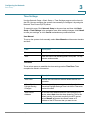
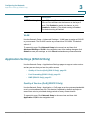
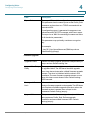
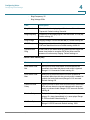
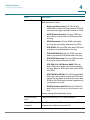
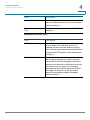
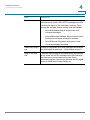
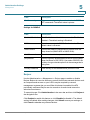
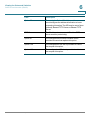
SIT2 Tone
Alternative to the Reorder Tone played when an error
occurs as a caller makes an outbound call. The RSC to
trigger this tone is configurable on the SIP screen.
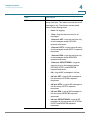
Default setting: 914@-4,1371@-4,1777@-4;20(.274/0/
1,.274/0/2,.380/0/3,0/4/0)
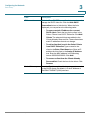
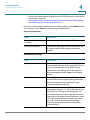
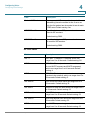
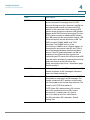
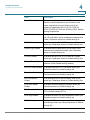
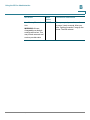
SIT3 Tone
Alternative to the Reorder Tone played when an error
occurs as a caller makes an outbound call. The RSC to
trigger this tone is configurable on the SIP screen.
Default setting: 914@-4,1371@-4,1777@-4;20(.380/0/
1,.380/0/2,.380/0/3,0/4/0)
Cisco SPA100 Series Phone Adapters Administration Guide
76