1
Photo Quality Problems
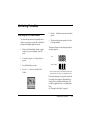
You see banding (light lines) in your prints.
❏
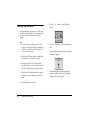
The print head nozzles may need cleaning; see
“Cleaning the Print Head” on page 40.
❏
Make sure the glossy side of the paper is face up.
❏
The photo cartridge may need replacing. To
replace the cartridge, see “Replacing the Photo
Cartridge” on page 33.
❏
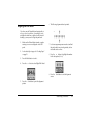
The print head may need aligning; see “Aligning
the Print Head” on page 41.
Your printout is blurry or smeared.
❏
Use the PictureMate Photo Paper to ensure proper
saturation, absorption of ink, and quality.
❏
Make sure you load paper with the glossy side
face up.
❏
Make sure your paper isn’t damp or curled, or
loaded face down (the glossy side should be face
up). If it’s damp or curled, load a new stack of
paper.
Your printout is faint or has gaps in the image.
❏
The print head may need aligning; see “Aligning
the Print Head” on page 41.
❏
The print head nozzles may need cleaning; see
“Cleaning the Print Head” on page 40 for
instructions.
❏
The photo cartridge may be old or low on ink. To
replace the photo cartridge, see “Replacing the
Photo Cartridge” on page 33.
Troubleshooting
45