1
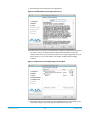
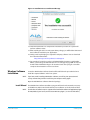
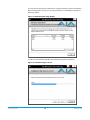
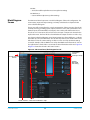
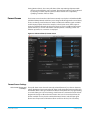
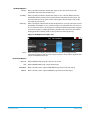
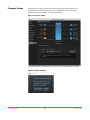
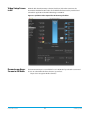
Figure 12. Installation Success and Restart Message
14. Click the Restart button to complete the installation procedure. The system will
perform software restart.
15. After installing the Io XT or Io 4K system driver package, you will find the AJA Control
Panel software installed in your applications.
16. Finally, install any AJA plug-ins required for 3rd-party software. You can download
these from the AJA website:
http://www.aja.com/en/products/io-xt/#support
17. For example, if you wish to use the Io XT/4K with Adobe Premiere or Adobe After
Effects, you would go the AJA website Io XT or Io 4K support page (URL above) and
download the “AJA Adobe Plug-ins for Creative Cloud”. These plug-ins come with
complete documentation on how to use them.
Windows Software
Installation
NOTE:
Locate the AJA Windows Software download file and follow the procedure below to
install the required software on the host system.
If you have trouble installing AJA Windows Software, turn off any virus protection and
security software that you have installed on your computer and try again.
Open the AJA Windows Software download package.
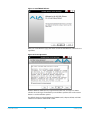
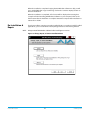
Install Wizard The AJA Windows Software installation program will launch and extract the necessary
Io XT/4K drivers, AJA Control Panel Software, for installation on the desired hard drive.
NOTE:
Io XT/4K v10.5r2
The Windows installation requires separate download and installation of application plugins
for AVID, Adobe, Eyeon Fusion, and Telestream Wirecast plugins. (See the web-link above.)
17
www.aja.com