1
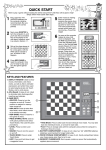
QUICK START
KEYS AND FEATURES
INTRODUCTION
1. LET’S GET STARTED!
1.1 First, Install the Batteries
1.2 Ready to Play? Here’s How to
Move!
1.3 Now It’s the Computer’s Turn
1.4 Change Your Mind? Take Back!
1.5 Game Over? Why Not Play
Again!
1.6 Too Easy/Hard? Change the
Level!
2. ADDITIONAL BASIC FEATURES
2.1 Whose Move? Check the
Display!
2.2 Special Chess Moves
2.3 Illegal Moves
2.4 Check, Mate, and Draw
2.5 Interrupting the Computer’s
Search
SYMBOLS AND DISPLAYS AT A GLANCE!
2.6 Changing Sides with the
Computer
2.7 Need Help? Ask for a Hint!
2.8 Chess Clocks
2.9 Built-In Openings
2.10 Auto Power Down
2.11 Game Memory
3. THE PLAYING LEVELS
3.1 Fun Levels
3.2 Fixed Depth Levels
3.3 Casual Levels
4. SPECIAL MODES TO
EXPLORE
4.1 Verify Mode
4.2 Non Auto Mode
4.3 Teach Mode
5. TECHNICAL DETAILS
5.1 The ACL Function
5.2 Care and Maintenance
5.3 Technical Specifications
TROUBLESHOOTING GUIDE
KING: White/Black
QUEEN: White/Black
ROOK: White/Black
BISHOP: White/Black
KNIGHT: White/Black
PAWN: White/Black
White/Black King in check
Checkmate (for White/Black)
Game has ended in a draw
INTRODUCTION
Clock showing Minutes/Seconds:
Steady colon, with leading zero
Welcome to the wonderful world of computer chess!
Whether you’re just starting to learn about chess or you’ve
already discovered this great game, you’re going to benefit
from your new chess computer in so many ways! A unique
combination of opponent and tutor, this computer is always
willing to play, whenever you are! The Quick Start at the front
of the manual is meant to get you started right away, and
you’ll find more details on game operation in Section 1. After
familiarizing yourself with the basics, go on to explore the
rest of the manual—and you’ll soon discover a variety of
other special features and exciting game options!
By the way, your computer knows and follows all popular
rules of chess—and you can be sure that it will never cheat!
For those who haven’t played before, we have included a
brief overview of the rules to get you started. For more
detailed information, why not visit your local library, where
you’re sure to find lots of interesting chess books!
Clock showing Hours/Minutes:
Flashing colon, with no leading zero
Display on entering Teach Mode
Black to move
Player to move
1.2 Ready to Play? Here’s How to Move!
Okay, it’s time to start a game! It’s so easy—just follow
these steps:
a. Press GO/STOP to turn the computer on, if you haven’t
already done so.
b. Press NEW GAME to reset the computer for a new
game of chess. Set up the pieces in their starting
positions, with the White pieces nearest to you, as
shown in the Quick Start.
c. To make a move, lightly press down on the piece you
want to move until you hear a beep—the sensory board
will recognize your piece automatically, and the display
will show the square that was pressed.
d. Take that piece and gently press it down on the square
you are moving to. You’ll hear a second beep as the
computer confirms the move. You’ve just made your
first full move of the game! Next, it’s the computer’s turn
to move for Black.
1. LET’S GET STARTED!
1.1 First, Install the Batteries
Your chess computer runs on two “AA” (Type AM3/R6)
batteries. Insert the batteries into the compartment in the
base of the unit, as shown in the Quick Start. Use fresh
alkaline batteries for longer battery life (up to 200 hours)!
Turn the computer on by pressing GO/STOP, and a beep
will signal that the game is ready to play. If the computer
should fail to respond (static discharge can sometimes
cause it to lock up), use a paper clip or another sharp object
to press down into the hole marked ACL in the base of the
unit for at least one second. This will reset the computer.
3
ENGLISH
TABLE OF CONTENTS