1
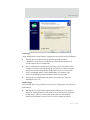
Configuration through the Digi Device Setup Wizard
Modem Emulation Profile
The Modem Emulation profile allows the Digi Connect family (except Digi Connect
WAN) to emulate a modem. It sends and receives modem responses to the serial device
over the Ethernet instead of PSTN (Public Switched Telephone Network). This profile
allows you maintain your current software application but use it over the less expensive
Ethernet network.
The commands that can be issued in a modem-emulation configuration are described in
the Digi Connect Family Command Reference.
Custom Profile
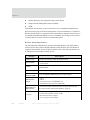
This profile allows you to see all serial-port settings and set them accordingly. Use this
profile only if your application does not fit into any of the predefined port profiles. For
example, if your network connections will involve a mix of TCP and UDP sockets, you
would need to select the Custom Profile.
76
Digi Connect Family User’s Guide