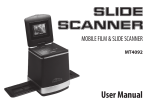
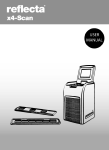
1
0 Table of Contents 1. Precautions…………………………………..……... 2 2. Preparation……………………………………..…… 5 l Standard Accessories…………………...…… 5 l Parts Names……………………………..…… 6 3. Install The Software…………………………..……. 7 l Install the Software in Windows…..…..……. 7 l Install the Software in Mac…….………….… 8 4. Place Film/Slide into the Holder………………..…. 9 5. Connecting the Digital Image Copier..……………. 10 6. Acquire Picture……………………………………… 11 l Acquire Picture from Windows……………… 11 l Acquire Picture from Mac…………………… 15 7. Edit The Pictures / Photo Editing Tools................. 19 l Adjust…………….………………………….... 19 l Retouch…………..…..………………………. 23 l Clipboard…………………………………..….. 25 8. Appendix………………………………………………26 l Specifications………………………………….. 26 l Trouble Shooting…………………….…………27 l System Requirements…………………………29 1 EN Welcome Thank you for purchasing a Digital Image Copier. Please take a moment to read through this manual. Its contents will send you on an educational journey into your recorder multiple capabilities. 1. Precaution Before using Digital Image Copier, please ensure that you read and understand the safety precautions described below. Always ensure that the image copier is operated correctly. • Never operate Digital Image Copier inside of an aircraft or anywhere else where operation of such devices is restricted. Improper use creates the risk of serious accident. • Do not try to open the case of Digital Image Copier or attempt to modify Digital Image Copier in any way. High-voltage internal components create the risk of electric shock when exposed. Maintenance and repairs should be performed only by authorized service providers. • Keep Digital Image Copier away from water and other liquids. Do not use Digital Image Copier with wet hands. Never use Digital Image Copier in the rain or snow. Moisture creates the danger of fire and electric shock. • Keep Digital Image Copier and its accessories out of the reach of children and animals to prevent accidents or damage to the image copier. 2 • If you notice smoke or a strange odor coming from Digital Image Copier, turn the power off immediately. Take Digital Image Copier to the nearest authorized service center for repair. Never attempt to repair Digital Image Copier on your own. • Use only the recommended power accessories. Use of power sources not expressly recommended for Digital Image Copier may lead to overheating, distortion of the equipment, fire, electrical shock or other hazards. • Digital Image Copier may become slightly warm during use. This does not indicate malfunction. • If the exterior of Digital Image Copier needs cleaning, wipe it with a soft, dry cloth. 3 EN FCC Notice This equipment has been tested and found to comply with the limits for a Class B digital device, pursuant to Part 15 of the FCC Rules. These limits are designed to provide reasonable protection against harmful interference in a residential installation. This equipment generates, uses and can radiate radio frequency energy. If not installed and used in accordance with the instruction, it may cause harmful interference to radio communication. However, there is no guarantee that interference will not occur in a particular installation. If this equipment does cause harmful interference to radio or television reception, which can be determined by turning the equipment on the off, the user is encouraged to try to correct the interference by one or more the following suggestion. l Reorient or relocate the receiving antenna. l Increase the distance between the equipment and the receiver. l Connect the equipment to a different power outlet other than the one where the receiver is connected. l Consult an experienced television or radio technician for help. CAUTION To comply with the limits for a Class B digital device, pursuant to Part 15 of the FCC Rules, this device must only be installed on computer equipment certified to comply with the Class B limits. 4 2. Preparation EN Standard Accessories Image Copier QSG 135 Slide Holder CD 135 Negative Film Holder Clean Brush 5 Part Names Note: We strongly suggest using the supplied Clean Brush to insert into the image copier slot and clean the glass surface periodically to produce a clear image. Please make sure your film negatives/ mounted slides and cover trays are clean before inserting into the copier as well. Dust or dirt from the negatives and cover trays will affect the quality of your scanned images. 6 3. Install the Software This Digital Image Copier is supported by Microsoft / Mac UVC (Universal Video Class) and Plug & Play technology. Therefore, it does not need a separate driver. To use the Digital Image Copier you must install ArcSoft MediaImpression in the CD in advance. Installing the Software in Windows OS computer 1. Insert the installation CD into the CD-ROM drive and the installation CD menu should appear. 2. When you see the following screen, choose “ArcSoft MediaImpression” to install the software. 3. Follow the on-screen instructions. 4. The installed software will automatically create a MediaImpression logo on your desktop. 5. Restart the computer. 7 EN Installing the Software in Mac OS computer 1. Insert the installation CD into your computer’s CD-ROM drive and click CD icon. 2. Click” MediaImpression Installer” 3. Follow the on-screen instructions. 8 4. Place Film / Slide Into The Holder 1. Open the negative/ positive slide holder as Illustrated. 2. Put a negative film/ positive slide into holder as shown. 3. Close the holder and please make sure the holder close properly. 9 EN 5. Connecting the Digital Image Copier 1. Plug the USB cable of Image Copier into your computer’s USB 2.0 port. Once connected the Power LED light will turn on. 2. Insert the loaded film/ slide holder properly into the slot according to the triangular signs as shown. IMPORTANT: INSERTING HOLDERS INCORRECTLY MAY DAMAGE YOUR IMAGE COPIER (Insert through front entrance) 10 6. Acquire Picture Acquire Picture from Windows 1. Click on the MediaImpression icon on the desktop and you will see the following. 2. Click “Acquire”. Select “Acquire from Film Scanner”. 11 EN 3. Define your save as settings: a) There are two formats JPG or TIF for setting. b) There are four quality levels (Highest/ High/ Normal/ Low) for selection in JPG format. c) Select the location to save your image. 12 d) There are two film sizes (135 film, 110 film) to choose from. You are suggested to select 135 film, most users do not have 110 film. 110 Film Holder is an optional part. e) Select the film type you are going to scan. f) Click “OK”. 13 EN 4. Capturing images You will see the image to be captured in the live view window, move the holder to avoid dark edge of the holder appears in the live view window, the dark edge will be captured if it appears. If the dark edge is on top or bottom when taking slide image, tilt the device left or right will help to locate the image correctly. Click “Capture” to save image to your computer. 5. Move the film holder and press “Capture” for the next film scan. 14 Acquire Picture from Mac EN 1. Click on the MediaImpression icon on the desktop and you will see the following. 2. Click “Acquire”. Select “Acquire from Film Scanner”. 15 3. Define your save as settings: a) There are two formats JPG or TIF for setting. b) There are four quality levels (Highest/ High/ Normal/ Low) for selection in JPG format. c) Select the location to save your image. 16 d) There are two film sizes (135 film, 110 film) to choose from. You are suggested to select 135 film, most users do not have 110 film. 110 Film Holder is an optional part. e) Select the film type you are going to scan. f) Click “OK”. 17 EN 4. Capturing images You will see the image to be captured in the live view window, move the holder to avoid dark edge of the holder appears in the live view window, the dark edge will be captured if it appears. If the dark edge is on top or bottom when taking slide image, tilt the device left or right will help to locate the image correctly. Click “Capture” to save image to your computer. 5. Move the film holder and press “Capture” for the next film scan. 18 7. Editing The Pictures First, click on the picture you wish to edit, and then use the ArcSoft tools to edit. Edit Photo Editing Tools The Photo Editing Tools module includes a complete set of photo enhancement, editing and retouching tools. The windows can be stretched to provide a large size view of the active photo. Double click the module’s tool bar to maximize the window to fill the computer screen. In addition to the large photo workspace, the Photo Editing Tools module includes five distinct sets of tools: 1. Adjust 1.1 Enhance The Enhance feature includes two types of tools: - Auto Enhance Click the “Auto Enhance” button to improve the overall quality of your pictures with a single click. - Manual Fix For precise image enhancement control, adjust the brightness, contrast and sharpen sliders. How to enhance a photo manually: 1. Move the sliders to adjust the level of brightness, contrast, saturation, hue and sharpness. 2. Use the zoom slider to get a closer look at how the adjustment affects the photo. 3. Click “Apply” if you like the result. Click “Cancel” if you do not. 19 EN EN 1.2 Color This feature is designed to fix digital photos that have incorrect colors or appear too dark. It’s also great for fixing scanned versions of old pictures that have faded or whose colors have changed after many years. How to fix the color of a picture: 1. Drag the color balance sliders to make the photo color appear more natural. Add red or yellow to make the photo warmer. Add blue or green to make the photo cooler. 2. Drag the Lighter/Darker slider to the left to reveal details hidden in a dark photo or to the right to make a faded photo look new again. 3. Click “Apply” if you like the result. Clock “Cancel” if you do not. 1.3 Red-Eye This feature makes it easy for you to fix a red-eye – a common problem in flash photography. There are two ways to fix red-eye: - Auto Fix 1. Simply click the “Fix Red-Eye” button to automatically find the fix all red-eyes. 2. If not all of the red-eyes are fixed, use the “Click to Fix” method. - Manual Fix 1. Use the zoom slider on the toolbar to zoom in on the photo. 20 2. Drag the small white box inside the zoom navigator and move over a red eye. 3. Place your cursor directly over the red eye and click. 4. Repeat the process until all the red eyes are fixed. 5. Click “Undo” if you make a mistake or don’t like the result. 1.4 Crop This feature enables you to trim photos for a dramatic effect or cut off the distracting parts of a picture. How to use the crop function: 1. Choose the crop orientation (portrait or landscape). 2. Select a fixed proportion for the crop rectangle (4:6, 5:7, 8:10) or choose “Custom” if you want to use a different ratio. 3. Resize the crop rectangle by clicking and dragging the red lines. 4. Move the crop rectangle into position by clicking and dragging inside the red box. 5. Click “Crop”. The area inside the rectangle will be kept, the area outside will be trimmed away. 6. Click “Undo” if you make a mistake or don’t like the result. 1.5 Straighten This feature enables you to fix photos that appear to be tilted. 21 EN How to use Straighten: 1. Move the slider (or click the rotate buttons) until the photo appears straight. 2. Use the superimposed grid lines for vertical and horizontal reference. 3. Click “Apply” if you like the result. Click “Cancel” if you do not. 1.6 Blur Background This feature can be used in a subtle way – to tone down un-important background details, or for dramatic effect- by making the main subject of a photo “pop out” of the picture. How to use the Blur Background function: 1. With your cursor, trace a line around the person or object you want to strand out. When you release the mouse button, the area outside the traced line will become slightly blurred. 2. Drag the first slider to make the transition between the blurred and non-blurred area sharp or smooth. 3. Drag the second slider to increase or decrease the amount of blur. 4. Click “Apply” if you like the result. Click “Cancel” if you do not. Saving Your Results When you’re done editing a photo, click “Save as” to save your results. You can choose to overwrite the original file or save as a new one. Click “Close” to exit the Photo Editing Module. 22 2. Retouch 2.1 Healing Brush The Healing Brush is good for fixing dust, scratches and removing skin blemishes. How to use the Healing Brush to fix a skin blemish: 1. Establish a source point for the Healing Brush by holding the Shift key and clicking on an area of the skin that is close in color and texture to the area you want to heal. 2. Use the zoom control to zoom in on the blemish. 3. Adjust the size of the healing brush so the cursor (circle) is only slightly larger than the blemish. 4. Paint over the blemish. The area will be concealed. 5. Click “Undo” if you make a mistake or don’t like the result. 2.2 Clone The Clone tool is good for the removing unwanted elements from a photo. It can also be used for a fun effect, like moving a nose from one person t another. How to use the Clone tool to remove a telephone pole from the background of a photo: 1. Establish a source point for the Clone tool by holding the Shift key and clicking on an area of the sky that you want to use to paint over the telephone pole. 2. Adjust the brush size so the cursor (circle) is only slightly larger than the widest part of the telephone pole. 23 EN 3. Click and hold your mouse button and carefully paint over the telephone pole. Do not release the mouse button until the job is done. The sky will be cloned into place. 4. Click “Undo” if you make a mistake or don’t like the result. 2.3 Lighten/Darken The Light/Darken tool is good for adjusting specific areas of a photo. 2.4 Smudge Simulate the smearing of wet paint. Please click and drag the sliders below to change the brush size and sharpness. 2.5 Sharpen Sharpen blurry areas. Click and drag the sliders below to change the brush size and transparency. 2.6 Blur Smooth out rough areas. Click and drag the sliders below to change the brush size and intensity. 24 2.7 Paint Brush Allows you to “paint” on your image when you click and drag the mouse. Click and drag the sliders below to change the brush size and transparency. 2.8 Line Draw a straight line in the photo. Click and drag the sliders below to change the line width and transparency. 2.9 Eraser Simulate an eraser, removing the image painting by paintbrush and line tools from your photo. Click and drag the sliders below to change the eraser size and effect. 3. Clipboard Clip the pictures by selecting Rectangular, Elliptical, Freehand, Magic wand and Magnetic. Note: For more detailed information, please refer to the [Help section] of program. 25 EN 8. Appendix Specifications Image Sensor Lens Specification Color Balance Exposure Control Supported Film Sizes Auto Cropping Supported film types auto converting Focusing PC interface Scan High Resolution Data Conversion Image Format Light Source Back Light System Requirements 1/2.5” CMOS Sensor, 5.17 Mega Pixels F=6.4, f=12.36mm, 2G2P Automatic Automatic 135mm film (36mm x 24mm) 135 Slide 135 Color Negative 135 Black & White Negative(Optional) Fixed Focus USB 2.0 4.3M equal to 1,800 dpi (enhances to 3,600 dpi via interpolation) 24 bits R.G.B color channel (48 bits color depth option in MediaImpression) 3:2 ratio 3 white LED Support Microsoft Windows XP, Vista, Windows 7 Mac OSX 10.5 or above Power From USB port Dimension 15(H) x 9.5(W) x 10(L) cm Bundled Software ArcSoft Medialmpression Specifications are subject to change without prior notice. 26 EN Trouble Shooting Issue My computer does not recognize the image copier. I get a Windows message that reads "device not recognized" My installation disc will not auto start Possible cause Image Copier not plugged into a high-speed USB port. May be a problem with install CD. May be a problem with your CD drive. My image copier works ok, but some of my slides or negatives look overexposed Time for auto exposure varies according to your computer configuration. 27 Resolution Your computer must have a USB 2.0 to communicate with your image copier. Check to see if USB 2.0 is installed on your computer. If you do not have a USB 2.0 installed on your computer you can upgrade your USB ports. This hardware is available at most electronic stores. Check to see if your CD drive is operating properly. If possible check another computer to see if the disc is recognized. Some “Anti Virus” system may block the auto start, please install manually. The image copier self adjusts to your slide/negative exposure. Wait for the live view window to stop adjusting for exposure and then click “Capture” to get image. Check your slides or negatives to see if they may have been overexposed when originally developed. You may use the MediaImpression software to adjust or improve the image quality. Issue I found black edge in preview mode I found the black edge when seeing the photo Your software will expire in XX days. My Mac computer does not work with the copier. Possible cause Slide might not in holder central position Film/Slide size tolerance You downloaded the similar trial software from ArcSoft website. Your Mac. OS is version 10.4 or below. 28 Resolution Tilt the scanner left or right, slide will slip and check the preview photo again. Crop the photo by software, detail user guide, please refer to this manual “Edit the picture” point “1.4 Crop” Uninstall the downloaded MediaImpression and install the software again from the CD. Some older Mac 10.4 version does not support UVC. Please upgrade to its latest version 10.4.11 or above. EN PC System Requirements l l l l l l l ® Pentium P4 1.6GHz or equivalent AMD Athlon Free USB2.0 port 512MB RAM 500MB free hard disk space 1024 x 768 pixel color monitor CD-ROM drive ® Windows XP Service Pack II / Vista™, 32/64 bits Windows 7 / Windows 8 Mac System Requirements l l l l l l l PowerPC G5 or Intel Core Duo processor recommended Free USB2.0 port 768MB RAM 500MB free hard disk space 1024 x 768 color monitor CD-ROM drive Mac 10.5 - 10.8 29 This symbol on the product or in the instructions means that your electrical and electronic equipment should be disposed at the end of its life separately from your household waste. There are separate collection systems for recycling in the EU. For more information, please contact the local authority or your retailer where you purchased the product. 30