1
Troubleshooting
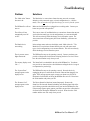
The table below lists troubleshooting solutions for common problems you may have with the
REMstar Pro System. If none of the corrective actions solve the problem, contact your home care
provider or Respironics.
Problem
Solutions
The “Mask Alert” message
appears on the display screen
and the alert tone is sounding.
Press any button on the REMstar Pro to silence the alert tone and clear
the display screen. The system has detected a large leak in the circuit
or you have taken the mask off without turning the airflow off. Check
the circuit connections for leaks.
The “Connect Pressure Line”
message appears on the display
screen and the alert tone is
sounding.
Press any button on the REMstar Pro to silence the alert tone and clear
the display screen. The tubing has become disconnected from the
system. Reconnect the tubing and press the Pressure On / Off button to
restart the airflow. If the airflow does not restart, the REMstar Pro may
not be operating correctly. Contact your home care provider or
Respironics for directions on having the REMstar Pro serviced. Please
have the serial number of the device ready when you call. Contact
your home care provider for service.
Pressing the Ramp button does
not reduce the air pressure.
Contact your home care provider. Your home care provider may not
have prescribed ramp for you. Make sure the ramp pressure setting is
lower than your CPAP pressure setting.
The airflow from the REMstar
Pro seems warm.
Replace or clean the filter. Make sure the REMstar Pro is away from
bedding or curtains that could block the flow of air around the device.
Make sure the REMstar Pro is away from heating equipment (e.g.,
forced air vents, radiators).
The memory display reads
“M=000%.”
The SmartCard records device usage information (e.g., a history of
pressure settings, times the system was used for therapy). Some
physicians and home care providers record this information to assist in
your CPAP treatment. When “000%” is displayed, contact your home
care provider if he/she has asked you to monitor the memory level.
Information will still be recorded once “000%” is displayed.
Water is spilled onto or into the
REMstar Pro.
Unplug the power cord from the AC wall outlet, pour out excess fluids
and allow the device to dry out. Do not use the REMstar Pro until you
contact your home care provider.
26 ~ REMstar Pro User Manual