1
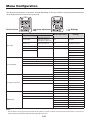
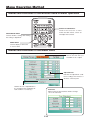
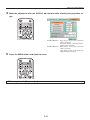
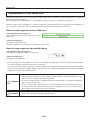
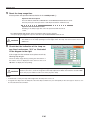
Menu Description History menu Only when inserting the USB memory stick Erase entire history���������The verification screen will be displayed. Select “Erase All” and then pressing the SET/POINTER button will delete all of the data in the folder in which the currently displayed file has been saved. Other folders will not be deleted. Erase 1 sheet in history���The currently displayed history image is deleted and the next history image is displayed. The following items will be displayed only during the projection of displayed images that were selected from the USB memory stick. Back page in history Next page in history Set the cursor then use the ◀ button on the remote control unit to select “Previous history image”, the ▶ button to select “Next history image”. Back page in history: The projector switches to the history image stored in the memory before the currently projected history image. Next page in history: The projector switches to the history image stored in the memory after the currently projected history image. * Only for iP-01UE. E-39 *