1
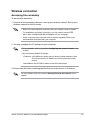
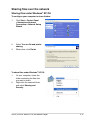
Windows® XP OS
1.
2.
3.
4.
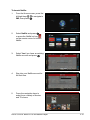
Click Start > Control Panel >
Network Connection. Right-click
Local Area Connection then select
Properties.
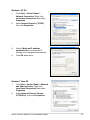
Select Internet Protocol (TCP/IP),
then click Properties.
Select Obtain an IP address
automatically if you want the IP
settings to be assigned automatically.
Click OK when done.
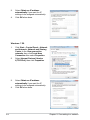
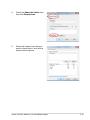
Windows® Vista OS
1.
2.
Click Start > Control Panel > Network
and Sharing Center. Right-click
Local Area Connection then select
Properties.
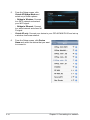
Select Internet Protocol Version
4(TCP/IPv4), then click Properties.
ASUS O!PLAY MINI PLUS HD Media Player
2-7