1
MX-M1100/950/850 Sales Guide
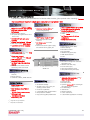
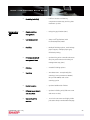
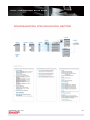
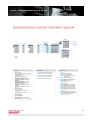
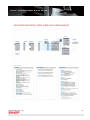
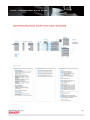
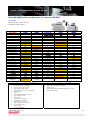
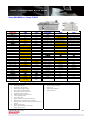
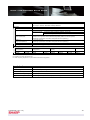
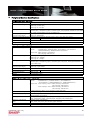
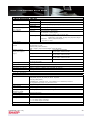
Copy Functions
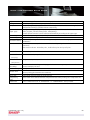
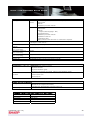
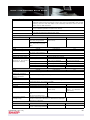
Name
Auto Magnificent
Selection
Auto Paper
Selection
Automatic Saddle
Stitching
Book Copy
B/W reverce
Card Shot
Centering
Copy Ratio
(Preset)
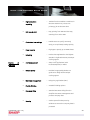
Copy Set Setting
Cover
Date Print
Dual Page Copy
Duplex Copying
Duplex via Bypass
E-sort (Electronic
Sorting)
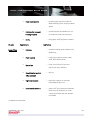
Erase
Exposure
Extra Size
Full Bleed Copy
Description
Automatically selects the appropriate copy ratio according to the original document size and
selected paper size.
Automatically selects the same paper size as the original document set on the platen or in
the document feeder.
Documents can be saddle stitched or folded using optional finishers.
Makes copies of books in pamphlet format.
As the name of this function implies, black and white in the copy are reversed to create a
negative image (except UK)
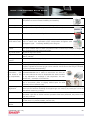
Prints the front and back of the original onto one side of the paper.
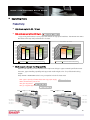
This function is used to center the copied image on the paper.
When the original size is smaller than the paper size (or when the image is reduced), the
image is placed in the center of the paper.
In addition to the preset enlargement/reduction ratios, the user can set their own frequently
used copy ratios.
The number of copies can be specified using a numeric keypad. (Max. 9999)
Inserts a different type of paper (paper weight, colour, etc.) as the front and back cover of a
copy job when using the document feeder.
Prints the date in any of the four available formats: YYYY/MM/DD, MM/DD/YYYY,
DD/MM/YYYY MM DD,YYYY,
Produces separate copies of two documents placed side by side on the platen.
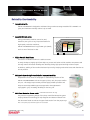
Prints on both sides of the paper.
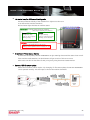
Automatically prints on both sides of the paper fed from an optional bypass tray.
Automatically collates multiple sets of copies in page order without the aid of a sorter.
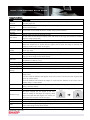
Erases shadows that appear around the edges of copies of books and other thick originals.
(Edge erase)
Can also erase the shadows that appear down in the centre of books and other originals that
open up (Centre erase)
Both the shadow lines around the edges of copies and the shadow at the centre can be
erased. (Edge + Centre erase)
Exposure can be selected according to the type of originals being copied. (Text, Text/Photo,
Photo, and Auto-Select)
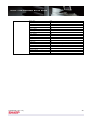
Enables users to enter non-standard dimensions for a copy paper or originals.
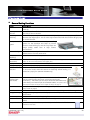
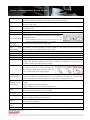
An entire original can be copied at full size,
without cutting off the edges of image by using
larger size paper than the original. (For example, A3
size original can be copied on A3W size paper.)
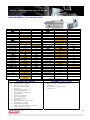
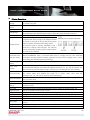
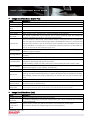
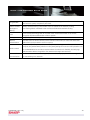
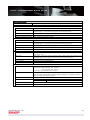
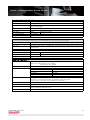
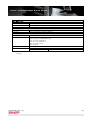
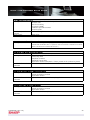
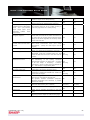
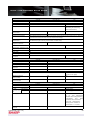
Group
Output of large-volume copies can be grouped by page.
Initial Status Setting Enables customising of the machine's default state.
Inserts a different type of paper (paper weight, colour, etc.) in between pages as a document
Insert
insert when using the document feeder.
Interrupt
A copy job can be interrupted to enable another job.
Confidential (Ver. 0.5)
62