1
How This Affects LVS Routing
effectively cluster FTP, you must configure the LVS routers to handle both active
and passive connections.
The FTP client/server relationship can potentially open a large number of ports
that the Piranha Configuration Tool and IPVS do not know about.
5.2. How This Affects LVS Routing
IPVS packet forwarding only allows connections in and out of the cluster based on it recognizing
its port number or its firewall mark. If a client from outside the cluster attempts to open a port
IPVS is not configured to handle, it drops the connection. Similarly, if the real server attempts to
open a connection back out to the Internet on a port IPVS does not know about, it drops the
connection. This means all connections from FTP clients on the Internet must have the same
firewall mark assigned to them and all connections from the FTP server must be properly
forwarded to the Internet using network packet filtering rules.
5.3. Creating Network Packet Filter Rules
Before assigning any iptables rules for FTP service, review the information in Section 4.1,
“Assigning Firewall Marks” concerning multi-port services and techniques for checking the
existing network packet filtering rules.
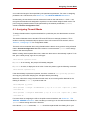
Below are rules which assign the same firewall mark, 21, to FTP traffic. For these rules to work
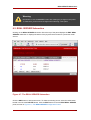
properly, you must also use the VIRTUAL SERVER subsection of Piranha Configuration Tool
to configure a virtual server for port 21 with a value of 21 in the Firewall Mark field. See
Section 6.1, “The VIRTUAL SERVER Subsection” for details.
5.3.1. Rules for Active Connections
The rules for active connections tell the kernel to accept and forward connections coming to the
internal floating IP address on port 20 — the FTP data port.
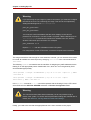
The following iptables command allows the LVS router to accept outgoing connections from
the real servers that IPVS does not know about:
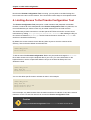
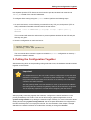
/sbin/iptables -t nat -A POSTROUTING -p tcp -s n.n.n.0/24 --sport 20 -j
MASQUERADE
In the iptables command, n.n.n should be replaced with the first three values for the floating
IP for the NAT interface's internal network interface defined in the GLOBAL SETTINGS panel of
Piranha Configuration Tool.
5.3.2. Rules for Passive Connections
The rules for passive connections assign the appropriate firewall mark to connections coming in
from the Internet to the floating IP for the service on a wide range of ports — 10,000 to 20,000.
33