1
Playing Voices
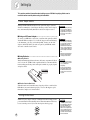
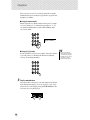
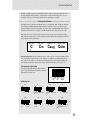
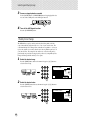
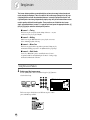
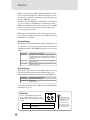
About Panel Voices and GM Voices
Keep in mind that the PSR-280 has two separate sets of voices: 128 Panel voices and 128
GM (General MIDI) Voices. The GM Voices can also be used for optimum playback of
GM-compatible song data. This means that any GM song data (played from a sequencer or
other MIDI device) will sound just as the composer or programmer intended.
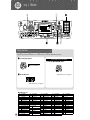
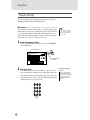
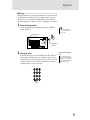
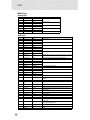
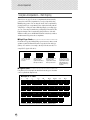
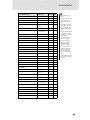
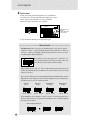
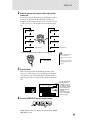
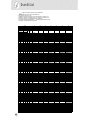
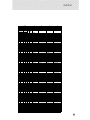
Drum Kit Voice Chart (voices 119 - 128)
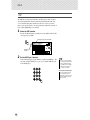
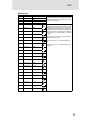
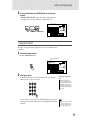
When one of the 10 panel Drum Kit voices are selected
you can play different drums and percussion instruments on the keyboard.
119 Std.Kit1
No.
119
120
121
122
123
124
125
126
127
128
Name
Standard Kit 1
Standard Kit 2
Room Kit
Rock Kit
Electronic Kit
Analog Kit
Dance Kit
Jazz Kit
Brush Kit
Symphony Kit
LCD
Std.Kit1
Std.Kit2
Room Kit
Rock Kit
Elct.Kit
AnlogKit
DanceKit
Jazz Kit
BrushKit
SymphKit
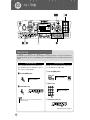
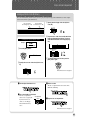
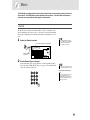
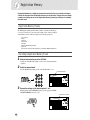
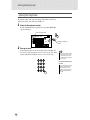
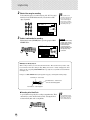
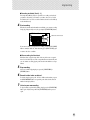
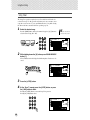
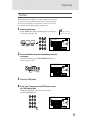
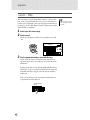
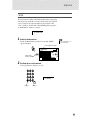
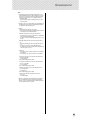
One Touch Setting
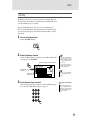
This special “voice” is actually a convenient feature which automatically selects a
suitable voice for you when you select a style. The voice is selected to best match
the style or song you’ve called up.
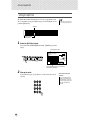
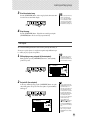
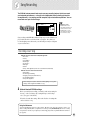
1
Select voice #000 (One Touch Setting).
One Touch Setting is selected
000 GrandPno
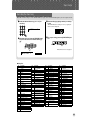
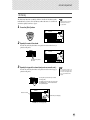
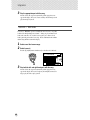
The One Touch Setting feature automatically calls up a voice that best
matches the style or song you’ve selected.
25