1
im Vertrieb von
CAMBOARD Electronics
Table of Contents
Chapter One • Introduction ....................................................................................................... 1-1
About This Manual .................................................................................................................... 1-2
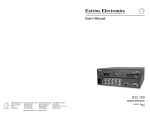
About the DVCM 50 DVD/VCR Control Module ....................................................... 1-2
Features ............................................................................................................................................ 1-2
Application Diagrams.............................................................................................................. 1-3
Chapter Two • Installation .......................................................................................................... 2-1
Installation Overview .............................................................................................................. 2-2
UL Requirements......................................................................................................................... 2-2
Mounting the DVCM 50 .......................................................................................................... 2-3
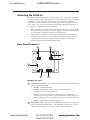
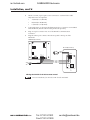
Rear Panel Features .................................................................................................................. 2-3
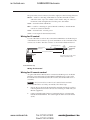
Wiring for IR control................................................................................................................. 2-5
Wiring for IR remote control ................................................................................................... 2-5
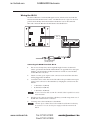
Wiring the IRL 20 ...................................................................................................................... 2-7
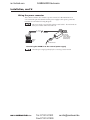
Wiring the power connector ................................................................................................... 2-8
Chapter Three • Configuration and Operation
......................................................... 3-1
DVD and VCR Control .............................................................................................................. 3-2
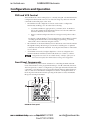
Front Panel Components ....................................................................................................... 3-2
Other buttons on the front panel .......................................................................................... 3-4
Programming the DVCM 50 Using IR ............................................................................. 3-4
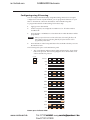
Configuring using IR Learning ................................................................................................ 3-5
Programming the DVD and VCR buttons........................................................................... 3-7
Removing commands from a button ................................................................................. 3-7
Setting up button macros ........................................................................................................ 3-7
Taking a button out of macro mode .................................................................................. 3-8
Configuring using IR data transfer ......................................................................................... 3-8
Operating the DVCM 50 Using IR Remote Control .............................................. 3-10
Buttons on the IR 452 Remote Control ................................................................................ 3-11
Resetting the DVCM 50 ........................................................................................................ 3-12
Locking the Front Panel (Executive Mode) .............................................................. 3-13
Chapter Four • Special Application ..................................................................................... 4-1
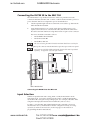
Connecting the DVCM 50 to the MLC 104................................................................... 4-3
Input Selection............................................................................................................................. 4-3
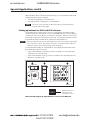
Setting up buttons for DVD and VCR selection .................................................................... 4-4
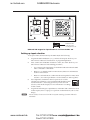
Setting up for input selection ................................................................................................. 4-5
www.camboard.de
• Table of Contents
i
Tel. 07131 911201 DVCM 50
[email protected]
Fax 07131 911203
PRELIMINARY
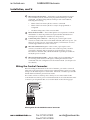
Wiring the Control Connector .................................................................................................. 2-4