1
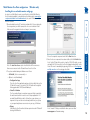
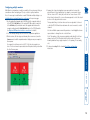
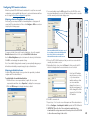
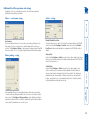
Free-Flow consists of special code within the CCS4-USB switch plus an intuitive graphical configuration application. First you inform the Free-Flow configuration application how many screens you have, their pixel resolutions and how they are physically arranged (e.g side-by-side, vertical stack, square formation, etc.). You then download this information to the CCS4-USB switch and this is used during operation to determine the precise moment to switch from one screen/system to the next. The beauty of Free-Flow is its simplicity of configuration and operation. Once the initial configuration has taken place, all monitoring and switching is handled within the CCS4-USB without need for extra connections or software utilities. More information • Free-Flow configuration • Multi-Monitor Free-Flow configuration • Operation: Selecting a computer configur Free-Flow now also supports multiple monitors on each PC (drivers are required). Issues when using Free-Flow • The CCS4-USB switch must have a minimum of firmware version 2.00 installed to operate with Free-Flow. See Performing upgrades for details. • When computers and their displays are not currently selected, the CCS4USB ‘parks’ their mouse pointers in the bottom right corner of the screen. In most cases this will cause no issues, however, it may be noticeable in circumstances such as the following: • If the task bar is set to auto hide and it is positioned either along the bottom of the screen (as default) or along the right hand side, then the task bar will automatically reappear when the mouse pointer is parked. • When playing full screen video, the on-screen controls (play, pause, seek etc.) will very likely be revealed when the mouse pointer is parked. • To cure the either of the above issues, it is possible to alter the mouse parking position. • The mouse will not flow across the screens while any mouse buttons are pressed down - this prevents undesired behaviour when dragging windows around or group-selecting items. • By default, Linux operating systems use relative mouse data which FreeFlow cannot use. A ‘udev rule’ is available that allows Linux to use absolute mouse positioning, thus enabling standard Free-Flow (not Multi-Monitor mode) to operate. • Multi-Monitor Free-Flow is for use with the Windows operating system only and requires specialist driver to be installed on each PC. See Multi-Monitor Free-Flow configuration for details. The Adder Free-Flow represents true innovation in KVM switching. For the first time, Free-Flow allows users to automatically switch between target computers simply by moving the mouse pointer from screen to screen. What makes this such a revolution is that you no longer need software to be installed on your mission critical computers in order to do this. Adder Free-Flow resides on the switch itself, sensing screen boundaries and instantaneously switching keyboard and mouse to the defined target computer. Free-Flow can be configured for almost any combination of screens using the included application which allows you to declare the individual screen sizes and visually position each one relative to the others. welcome What is Free-Flow? 3