1
11
Game Center
At a glance
Game Center lets you play your favorite games with friends who have an iPhone, iPad, iPod touch,
or a Mac with OS X Mountain Lion. You must be connected to the Internet to use Game Center.
WARNING: For important information about avoiding repetitive motion injuries, see Important
safety information on page 129.
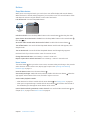
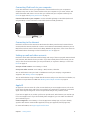
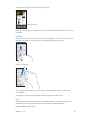
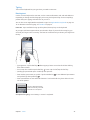
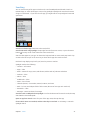
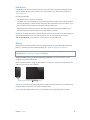
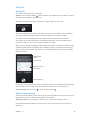
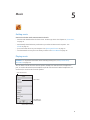
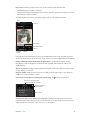
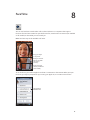
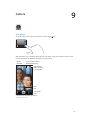
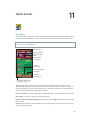
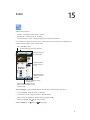
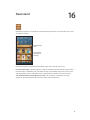
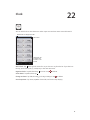
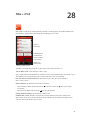
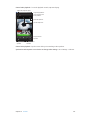
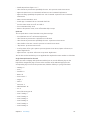
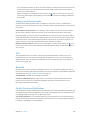
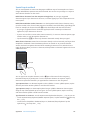
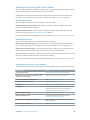
Play the game.
See who’s the best.
See a list of game
goals.
Find someone
to play against.
Choose a
game to play.
Check for challenges
from friends.
Invite friends to play.
Respond to
friend requests.
Declare your status, change
your photo, or sign out.
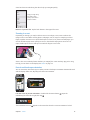
Sign in: Open Game Center. If you see your nickname and photo at the top of the screen,
you’re already signed in. If not, enter your Apple ID and password, then tap Sign In. You can use
the same Apple ID you use for iCloud, App Store, or iTunes Store purchases, or tap Create New
Account if you want a separate Apple ID for gaming.
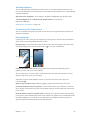
Purchase a game: Tap Games, then tap a recommended game or tap Find Game Center Games.
Play a game: Tap Games, choose a game, then tap Play.
Return to Game Center after playing: Press the Home button
Home screen.
, then tap Game Center on the
Sign out: Tap Me, tap the Account banner, then tap Sign Out. You don’t need to sign out each
time you quit Game Center.
62