1
L3Con_Install.fm Page 17 Tuesday, February 27, 2001 8:01 AM
Installing Red Hat Linux 6.2
To install Red Hat Linux 6.2, follow these steps:
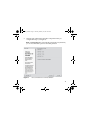
1. Click Next in the About to install window to begin the Red Hat
Linux 6.2 installation.
Note: Allow 15 to 60 minutes for the Red Hat Linux 6.2 installation
to complete.
2. If you do not want to create an optional Red Hat Linux 6.2 boot disk,
click the Skip boot disk creation option and proceed to step 6. If
you want to create a boot disk, complete the procedure in steps 3
through 5.
Note: The boot disk is optional because you can boot the
workstation from the Red Hat Linux 6.2 CD-ROM.
3. To create the optional Red Hat Linux 6.2 boot disk, begin by clicking
the option button to deselect the Skip boot disk creation option.
4. Insert a blank, DOS-formatted floppy disk into the workstation
floppy disk drive.
5. Click Next to create the boot disk.
6. Click Exit to reboot the workstation.
7. Remove the Red Hat Linux 6.2 CD-ROM and the optional boot disk
when the workstation automatically ejects them from their
respective drives.
8. Install the auxiliary Linux software components on the workstation,
as explained in the next section.
17