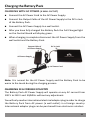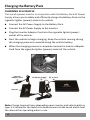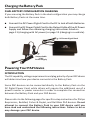
1
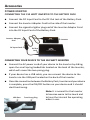
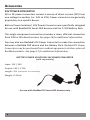
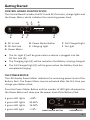
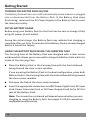
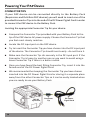
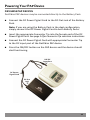
Powering Your PAP Device RESMED S8 SERIES & OTHER OLDER RESMED DEVICES ResMed S8 Series or other older ResMed PAP devices require the use of ResMed’s DC Power Converter or a power inverter in conjunction with the Battery Pack. Do not connect the Battery Pack directly to any ResMed device as doing so will damage the PAP device. CONNECTION USING RESMED DC POWER CONVERTER Connect the DC Input Cord to the DC Out Jack of the Battery Pack. Note: If you are using the Battery Pack in the dual configuration, connect the DC Power Pigtail Cord to the DC Out Jack of both Battery Packs and connect the DC Power Pigtail Cord to the DC Input Cord. Connect the cigarette lighter plug end of the ResMed DC Power Converter to the DC Input Cord. Connect the output cable of the ResMed DC Power Converter to the DC input port of the PAP device. Press the ON/OFF button on the PAP device and the device should start functioning. DC Out Jack PAP DC Input Port DC Input Cord ResMed DC Power Converter 17