1
Working with Call Progress Tones
Learn Tone Issues and Possible Solutions
When comparing tone definitions, both the frequency and timing need to be considered.
To compare frequencies, both the frequency itself and the frequency deviation are needed. When a
frequency is detected on the line, it is compared to the bandwidth of the tone definition. The
bandwidth is specified as all of the frequencies from the specified frequency minus the frequency
deviation to the specified frequency plus the frequency deviation. For example, if the frequency is
specified as 400 Hz and the frequency deviation is specified as 50 Hz then the bandwidth is 350 Hz
to 450 Hz.
The frequencies of tone definitions are considered to match if their bandwidths overlap. For
example, if tone 1 has frequency 400 Hz with frequency deviation of 50 Hz, and tone 2 has
frequency 460 Hz with frequency deviation of 20 Hz, then these frequencies would match. The
bandwidth of tone 1 is 350 through 450 Hz, and the bandwidth of tone 2 is 440 through 480 Hz.
Some common learn tone issues and possible solutions are provided here:
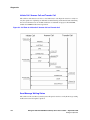
An On/Off tone is detected while validating a stutter dialtone
A stutter dial tone is a dial tone that has a short period of 2 or 3 cycles of On/Off cadence
before the dialtone is on continuously. In most cases the stutter dial tone will not be an issue as
the dial tone will have distinct frequencies. In those rare cases where the dial tone shares the
same frequencies as On/Off tones, it may be possible that the dialtone will experience
validation errors. This may happen if the dial tone stutter period matches the on and off timing
of a tone with the same frequencies. Since there is no conflict between Continuous tones and
On/Off tones, the conflict between On/Off tones and the stutter part of the stutter dial tone will
not be detected automatically.
Possible solution: Adjust the timing of the On/Off tone, or set the number of cadence cycles
for the On/Off tone to a value greater than 1.
An On/Off tone with double cadence conflicts with another On/Off tone
A double cadence is an On/Off cadence with two different on and two different off periods. For
example, a ringback tone may have the following cadence: on for 500 msec, off for 500 msec,
on for 1500 msec, off for 3500 msec. This cadence will automatically be learned as an On/Off
tone with time on as 1000 msec with deviation of 500 msec and Off time of 2000 with
deviation of 1500 msec. Since this timing has such wide deviation it may conflict with other
tones with the same frequency. For example, if there is a busy tone with the same frequency
and the cadence of on for 500 msec, off for 500 msec, then this busy will conflict with the
ringback definition.
Possible solution: To prevent the busy tone event during ringback, increase the number of
cadence cycles for the busy tone to 2. To prevent ringback event during busy, change the
cadence type of the ringback to OnOffQuick. Set the first time value to a value that is greater
than the time on for the busy tone, but less than the larger on time of the ringback. For this
example, 1000 msec would be a good choice. Set the second time value to a value larger than
the longest off time for the ringback. For this example, 3600 msec would be a good choice.
Note: Changing the cadence type to OnOffQuick may not work if there is already a
continuous type or OnOffQuick type with matching frequencies. In this case, the
Gateway will not be able to reliably detect the tone with a double cadence.
Dialogic® 1000 and 2000 Media Gateway Series User’s Guide — September 2007
Dialogic Corporation
143