1
Check It Out!
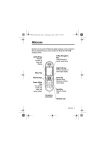
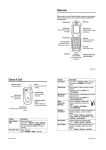
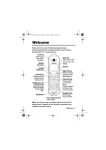
Handsfree
Speaker
(on back of
phone)
Camera Lens
Record video
clips & take
photos.
Feature
Record Video
Clip
Play Video Clip
Take Photo
Send Photo
2 - Check It Out!
Mirror
Aim camera lens
for self portraits.
External Display
View incoming
call information.
Description
Record a video clip:
Press M > Multimedia > Videos > [New Video],
point lens at subject, press CAPTURE (+) to
begin recording, press STOP (+) to stop
recording.
Play a video clip:
M > Multimedia > Videos > video clip
Press M > Multimedia > Camera, point lens at
subject, press CAPTURE (+) to take a photo.
Send a photo to a phone number or email
address:
Take photo, then press STORE (+)
> Send In Message.