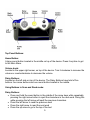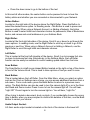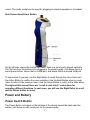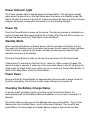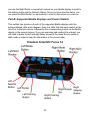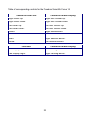
1
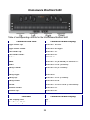
Eye-Pal Ace Plus Version 1.7 User Manual ABiSee, Inc. 30 Sudbury Rd., Unit 1B Acton, MA 01720 www.abisee.com Table of Contents Introduction 3. What's in the Box 3. The Basics 3. Reading/Zoom Cameras 3. Object Lighting 4. Speakers 4. Position 4. Buttons, Controls, Connections 4. Power and Battery 7. Power Switch Button 7. Power Indicator Light 8. Power Up 8. Standby Mode 8. Power Down 8. Checking the Battery Charge Status 8. Charging the Battery 9. Extending Battery Life 9. Battery Replacement 9. Internet Connection 9. How to Register the Device and Obtain an Email Account 10. How to Add a Network to your Device 11. How to Enter Passwords and Characters 11. How to Connect to a Network 12. Navigation and Settings 12. Main Menu 12. Scan and Read 12. Voice Mode 14. Voice Mode Settings 14. Text Mode 15. Generic Scan and Read Settings 15. Managing Documents 16. Saving Documents and Books 16. Saving a Single-page Document 16. Saving a Multi-page Document or Book 17. Opening a Document or Book 17. Converting a Book to Text 18. Converting a Book to MP3 18. Book Navigation 18. 1 Deleting a Document 19. Library 19. Email 20. Address Book 22. Calendar/Reminders 22. Zoom 23. Photo Album 23. Clock/Alarm Clock 25. Settings 25. Help 26. WARRANTY 27. Appendix A: Safety Rules 28. Appendix B. Troubleshooting 29. Appendix C: Braille Display Information 31. Freedom Scientific Focus 14 Page 32. ALVA BC640 Page 34. APH Refreshabraille 18 Page 35. HIMS Braille Edge 40 Page 36. Baum SuperVario2 40 / Humanware/PDI Brailliant 40 Page 37. Humanware Brailliant bi40 Page 38. Contact ABiSee Back Page 2 Introduction Congratulations on choosing the Eye-Pal Ace Plus device. ABiSee’s Eye-Pal Ace Plus (hereafter referred to as the Ace Plus) is a portable electronic text-to-speech device. It is also compatible with select refreshable Braille displays, allowing nearly instant conversion of text to Braille. The Ace Plus can be used to send and receive emails, download and read Bookshare books, and also be used as a multi-tasking daily assistant for people with visual impairment and those who are blind. Characterized by a contemporary design with time-tested simple controls, the Ace Plus also has internal speakers, a rechargeable, user-replaceable battery, and a 10-inch built-in screen. Enjoy reading any printed material such as letters, newspapers and books. The text is displayed in magnified font and read aloud in a natural-sounding voice. The Ace Plus can be used as an electronic photo album, magnifier, alarm clock, and an appointment reminder as well. If you have any questions or suggestions, please contact ABiSee, Inc. at 855-354-4080 or by email at [email protected]. We greatly appreciate your feedback and hope you enjoy using your Ace Plus. What's in the Box In the Ace Plus box you will find: the Ace Plus device (with rechargeable, user-replaceable battery in it) the Ace Plus power supply (which has a rectangular piece approx. 4 inches by 2 inches by 1 inch with a cord attached) the Ace Plus power cord (a cord with a big prong on one end and smaller prong on the other) this user manual a small objects placemat The Basics Reading/Zoom Cameras Ace Plus has two 5-mega pixel cameras that work simultaneously to take a snapshot of your material. Place the document in the landscape position, directly alongside the 3 front of the Ace Plus. The optimal camera-viewable area is a letter/A4 paper sized (8.5 by 11 inches). Object Lighting Both cameras automatically provide sufficient lighting when taking a snapshot. No additional light is needed even in a dark room. Speakers Any material with printed text placed in front of the Ace Plus will be read out loud using the built-in speakers. Alternatively, headphones can be plugged or the Voice Mode can be turned off for those who prefer to read silently. Position The top of the device has a panel with a set of Daisy arrow buttons on the left side, a large round button in the center, a volume knob on the right toward the back, and a half-moon shaped Scan Button in front of the knob. The front of the device has a Screen with a Thumb Wheel (Roller) at the top of each side. When setting up the Ace Plus to scan a document, place the device on a flat surface with the front of the device facing you and the top panel facing the ceiling. It must be in this upright, flat position when scanning a document, but once you have scanned it, you can hold the device comfortably on your lap, tilted however you’d like while listening or reading. Buttons, Controls, Connections The diagrams below have pictures of the device, with the first one showing the top and front view, and second showing the left side panel. All of the buttons and controls are labeled. Below the diagrams, each button and control is described. If you are reading this manual using this device, please be aware that the labels on the diagram will not be converted verbatim. A full description of each labeled item starts after each diagram. 4 Top Panel Buttons: Home Button: A large round button located in the middle on top of the device. Press it anytime to get to the Main Menu. Volume knob: Located in the upper right corner, on top of the device. Turn it clockwise to increase the volume or counterclockwise to decrease the volume. Daisy Buttons: Located on the left side on top of the device. The Daisy Buttons have total of five buttons: four arrow buttons and one round button located in the middle. Using Buttons in Scan and Read mode: Daisy Buttons: Press and hold the round button in the middle of the arrow keys while repeatedly pressing the right arrow button to spell the characters in the next word. Doing this while pressing the left arrow will spell the previous characters. Press the left arrow to read the previous word Press the right arrow to read the next word Press the up arrow to go to the top of the text 5 Press the down arrow to go to the bottom of the text In this and all other modes, the center button can be pressed to hear to hear the battery status and whether you are connected or disconnected to your Network. Action Button: Located on the right side of the device above the Right Roller. Press this Button to select the desired menu option. In Reading mode – this Button is used to pause and resume reading. When using a Network Account, or Adding a Network, the Action Button is used to select letter and character choices for passwords, titles of Bookshare books, and names and email addresses in your Address Book. Right Roller: Located at the front right shoulder of the device. Scroll it up or down to go through the menu options. In reading mode, use the Right Roller to scroll up or down to go to the previous or next line. When using a Network Account or Adding a Network, use the Right Roller to scroll through letter and character choices. Left Roller: This is located at the front left shoulder of the device. Scroll it up to increase font size or down to decrease font size. Alternatively, in the Settings Menu, the Left Roller function can be easily be switched to control reading speed rather than font size. Scan Button: The Scan Button is a half-moon shaped Button located on the right on top of the device in front of the Volume Knob. This is used to take a picture of text you want to scan. Back Button: This is located above the Left Roller. From the Main Menu, when you select an option such as the Clock or Settings menu choice, you can access additional functions from a sub-menu. From a sub-menu, press the Back Button to return to a previous menu option. The Back Button can also be used to turn the camera light off or on in the Scan and Read and Zoom modes. Press it once to turn the camera light off. You will hear, “Light Off.” Press it again to turn the camera light on. You will hear, “Light On.” When trying to delete a document, book or photo, if you accidentally choose the wrong item to delete, when you are prompted to confirm the deletion of the item, use the Back Button to cancel your choice. Audio Output Socket: A 3.5mm audio output socket is located on the front of the device in the lower left 6 corner. The audio socket can be used for plugging in external speakers or a headset. Side Connections/Power Button On the left side, toward the bottom and back, there is a set of ports aligned vertically. The first one from the bottom is for plugging in the power supply. Just above that is a round power button. Above that is a USB port, and above that is a second USB port. To summarize, in general, use the Right Roller to scroll through the menu items and the Action Button to confirm the menu selection. Use the Back Button when in a submenu to return to the previous menu. Use the Home Button to return to the Main Menu. Throughout this manual there are “scroll to and select” instructions for operating different functions. In each case, you will use the Right Roller to scroll and the Action button to select. Power and Battery Power Switch Button The Power Button is located on the left side of the device toward the back near the bottom, just above a small round port for the power supply. 7 Power Indicator Light The Power indicator light is located above the Power Button. The light glows steady green when the device is on; the light blinks when the device is in standby mode; the light is off when the device is turned off. It glows red when the device is off and is being charged, and glows orange when the device is on and is being charged. Power Up Press the Power Button to power up the device. The start-up process is indicated by a series of beeps and takes approximately 90 seconds. When the Ace Plus is ready, you will hear the announcement: “Main Menu: Scan and Read.” Standby Mode When operating the device on battery power, after five minutes of inactivity, the Ace Plus goes into standby mode, to consume less power. A short series of tones indicates when the device is going into this mode, and then a blinking power indicator light indicates the device is on standby. Press the Power Button to wake up the Ace Plus and return it to the active mode. It takes about 15 seconds for the Ace Plus to “wake up.” After a series of beeps, the device is ready to operate. It wakes up in the same spot where it was left off going into sleep mode. To check which menu option you are in, press the Center Daisy Button. To return to the Main Menu, press the Home Button. Power Down Press and hold the Power Button for approximately three seconds to power down the Ace Plus completely. You will hear a short series of beeps as it powers off. Checking the Battery Charge Status To quickly check the battery status, press the round Center Daisy Button. An announcement will tell the battery status and whether or not you are connected to a Network. The battery status is also given in the Settings sub-menu under Status. To get to the Status menu from the Main Menu, scroll to and select Settings. Then scroll to and select Status. The percentage of available battery charge is announced and also 8 displayed in the screen) “100%” means a fully charged battery. If the charge is below 15%, it is time to recharge. The Ace Plus can be used while it is being charged. Charging the Battery Important: Before the first use, the Ace Plus’s battery needs to be charged to full capacity which can take up to four hours. To charge it, use the power supply and power cord provided as follows: First connect the power cord end with the small prong into the port at the end of the rectangular part of the power supply. Next, plug the power supply cord into the power port on the Ace Plus, which is located at the bottom of the left side panel. Finally, plug the power supply into a power outlet. Do not use the Ace Plus while it is being charged for the first time. Later on, the device can be used while it is being charged. In general, charging a depleted Ace Plus battery to full capacity takes approximately four hours. A fully charged Ace Plus battery lasts for about five hours of continued use. For safety reasons, only the adapter supplied by ABiSee, Inc. for the Ace Plus should be used to charge the Ace Plus device. Extending Battery Life To prolong battery life, unplug the Ace Plus from the power source at least once a month and use it on battery power until the battery charge goes down to below 15%. Battery Replacement When the battery on your device has reached the end of its rechargeable life, a replacement can be ordered either from the dealer who sold you the device or directly from ABiSee. On the lower back side of the device, there is a battery compartment with a cover that is attached by four small Phillips screws. To install the replacement battery, unscrew the screws, and remove the battery. Position the new one like the original, replace it and tighten the cover. Internet Connection Before we describe how to Scan and Read documents and use all the other Menu options, here is a note about the why your device has the word “Plus” in its name: The Ace Plus offers all the features of the standard Ace device (which are described in this manual), PLUS Internet connectivity. Internet functions available on the Ace Plus include: 9 Ability to download books from Bookshare Ability to send and receive emails attachments To use Internet functions on the Ace Plus, you need access to an available WiFi network. If the WiFi network you would like to use requires a password, you will need to know the password to connect to it. When you choose a network, such as a home wireless network that needs a password, you will be prompted to enter it. Some public places, like many public libraries, offer free WiFi connection with open access and no password needed. Other places, like airports, coffee shops and hotels, may require you to open a web browser and agree to their terms of service. The network being used with the Ace Plus must be one that does not require you to read and accept user terms. To use the Library function on the Ace Plus, you must have a Bookshare Account. Please contact the dealer who sold you the device or ABiSee’s tech support at 1-855354-4080 for assistance connecting to WiFi. How to Register the Device and Obtain an Email Account You can register online or by phone. To register online, please follow Steps One and Two below. To register by phone, please call ABiSee, Inc at (855) 354-4080 with the PIN number provided with your device to obtain an Email Account, and then proceed to Step Two below. Step One: Go to: www.abisee.org Select Create New Account Enter the Device Serial Number Enter PIN provided to you by ABiSee with the shipment of your device Enter Password - any password you'd like to create Enter your email address, not the @abisee.org, but the alternative one Enter the contact name for this device Enter phone number for the contact name Select your relationship to the device user Press Create Account button Enter the username you would like to have for the abisee.org email account on this device Step Two: 10 Turn on the device Go to Settings>System Settings>Device Registration Press the Action button Wait until the registration info is retrieved Press the Home Button Go to Settings>System Settings>Network accounts>Email and make sure your Username is correct according to your registration. Follow the steps in the section below on how to enter characters and how to add and connect to a Network to send and receive emails. Then follow the steps in the Email section of this manual for instructions on how to add contacts to your Address Book, Please note: In order to receive emails to your Ace Plus email account, the contact has to send the email to the username you selected followed by @abisee.org. Additionally, only contacts entered in your Address Book will be able to send and receive emails via your Ace Plus email account. Send a test email to someone in your address book and ask for a reply to make sure your email is set up. If you need any assistance, please call your local dealer or ABiSee for assistance. How to Add a Network to your Device To add an available Network to your device, start from the Main Menu screen, scroll to and select Settings. Then scroll to and select System Settings. Next, scroll to and select Wireless Network Settings. Scroll to and select Add/Delete Networks. Then scroll to and select Add Network. Scroll through the list of networks until you come to the one you would like to connect to and select it. If it is password protected, you will be prompted to enter a password. How to Enter Passwords and Characters When using Internet functions, you will be able to enter characters to spell out Bookshare book titles you want to search for, and enter characters to add names and email addresses to your Address Book. When signing on to your Bookshare Account or some Wireless Network Accounts, you will need to enter a password. Later in this manual, you will learn how to scroll to and select specific functions, like the Address Book or Library which require character entry. You’ll also learn how to bring up the screen that will prompt you for your entry. When your selection brings you to a 11 place where you need to enter characters, press the Daisy Up or Down arrow to move between lowercase, uppercase, numbers, email shortcuts and symbols. For example, if you are in a mode to enter a password and you want to start with an uppercase letter, press the Up arrow until you get to the choice “Uppercase.” Use the Right Roller to scroll to the character you want and select it with the Action Button. If you enter a character in error, use the Left Arrow button to delete it. When you want to complete your entry, press the Right Arrow Button. How to Connect to a Network To connect to a Network, start from the Main Menu screen, scroll to and select Settings. Next, scroll to and select System Settings. Then, scroll to and select Wireless Network Settings. Next, scroll to and select Connect to Network. Choose the Network you added from the instructions in the previous section. Navigation and Settings This section details all the Menu options and how to navigate through scanning and reading and other functions. Let’s start by pressing the Home Button to get to the Main Menu. Main Menu The Main Menu consists of the following menu items: Scan and Read Library Email Address Book Calendar (Includes a reminder function) Zoom Photo Album Clock (Includes an alarm function) Settings Help Scan and Read This application enables you to read printed text like letters, documents, books, portions of food packages and pill bottle labels, including the fine print. The Ace Plus 12 reads printed text aloud and displays magnified text on the screen. Positioning a document The Ace Plus can scan and read a document that fits in the 8 ½ by 11-inch field directly in front of the device on a flat surface. Use the base of the device as a guide and place the long side of the paper so it is aligned with the length of the base. The orientation of the document will not influence the recognition of the text. If you are scanning a document that is smaller than the 8 ½ by 11-inch field, the Ace Plus will provide the best results if you place a blank sheet of 8 ½ by 11-inch paper in the scanning area and lay your smaller document on top of that. For smaller documents, it works better to place it toward the right side of the scan field rather than in the center of the blank page. Scanning and Reading Printed Material This section gives directions for Scanning and Reading documents via the text and voice modes. If you prefer to read with a Braille display, please refer to Appendix C. Scanning and Reading without a Braille Display: Turn on the Ace Plus with the power button. After the beeps, you will hear: “Main Menu: Scan and Read.” Press the Action button to choose the Scan and Read option. Position your document as described above. Press the Scan Button once – you will hear a shutter sound. The Ace Plus will start reading the text almost immediately after that. Do not press any other buttons when doing the Scan and Read operation, as it will interrupt the scanning/reading process. Reading modes The scanned material may be read in: Voice Mode: convenient for having the text read aloud - the default choice Text Mode: used for reading text on the screen quietly without voice output. The Scan and Read mode can be changed in the Settings menu. To change the mode, begin at the Main Menu and scroll to and select Settings. Next, scroll to and select 13 General Settings. Then, scroll to and select Reading Mode. Scroll to your desired option (Voice Mode or Text Mode), and set it with the Action Button. Voice Mode The Voice Mode is the default mode. Use this mode to hear the text read aloud. After the scan button is pressed, the device automatically starts reading within a few seconds. To pause/resume reading, press the Action Button. Scanned text is formatted and displayed on the screen in high contrast. Voice Mode Settings Reading Speed: This setting allows adjustment of the speed in which the document is read aloud. If you would like to be able to adjust the reading speed with the Left Roller while reading a document, you can choose to set the Left Roller Mode to “Reading Speed.” You can also set a Reading Speed from the General Settings Menu which will keep the reading speed at a set pace you choose once. By default, the Left Roller Mode will be set to Font Magnification, which will allow you to control the font size as you read. If you would rather use the Left Roller to control reading speed as you read instead of using it to control Font Magnification as you read, you can switch the Left Roller Mode to “Reading Speed” by doing the following: From the Main Menu, scroll to and select Settings, and then select “General Settings.” Next, scroll to and select Left Roller Mode. Finally, select Reading Speed. To change and set the Reading speed from the Settings, begin at the Main Menu. Scroll to and select Settings. Next, scroll to and select General Settings. Then, scroll to and select Reading Speed. Next, scroll between the speed values from 1 (the slowest) to 10 (the fastest). Stop at your preferred speed and set it with the Action Button. Voice/Language: To adjust the setting for your preferred reading voice or language, start at the Main Menu. Scroll to and select Settings option. Then, scroll to and select General Settings. Next, scroll to and select Voice. Next, scroll through available language/voice combinations and select your preference. The reading language and language of the document need to match in order for the text recognition to be accurate. To Navigate Through Text: 14 The five Daisy Buttons are used for text navigation. Pressing the left or right arrow button allows you to, respectively, move to the previous or next word. The Ace Plus reads the words aloud as you navigate. Pressing the up or down arrow buttons allows you to, respectively, move to the top or bottom of the page. Scrolling up or down with the Right Roller allows you to move, respectively, to the previous or next line. Press and hold the Daisy center button while repeatedly pressing the right arrow button to spell out the next word. Press and hold the Daisy center button while pressing the left arrow button to spell out the previous character. Press the Action Button to pause or resume reading. Press the up and down arrow buttons simultaneously to hear the orientation of the document. Text Mode In Text Mode, the scanned document is presented on the screen, but it will not be read aloud unless you press the Action Button. By default, the device is set to control font magnification with the Left Roller. If you have previously changed the settings in the Settings menu for the Left Roller to control Reading Speed, you will need to switch this back if you want to use the Left Roller for font magnification. Generic Scan and Read Settings Generic Scan and Read settings apply to both reading modes. Font, Font Size, Contrast: To adjust the setting for your preferred font, font size or contrast, begin at the Main Menu. Scroll to and select Settings, and then select General Settings. Next, scroll to and select one of the options: Font, Font Size or Contrast. Then, scroll through available options and select your preference. Reading Volume: Turn the Volume Knob clockwise to increase the volume of the voice. Turn the knob counterclockwise to decrease it. Tables and Spreadsheets: By default, the Ace Plus will recognize text columns as separate pages. To disable the column recognition in order to accurately read tabulated text, press and hold the left and right arrow Buttons simultaneously until you hear the announcement "Switched to table mode." Press the same two Buttons again when you want to switch back. Reading tall food packaging: Tall food packages, such as a cracker box, can be read as long as the top of the package does not come closer than four inches from the camera lens. For packages where the entire dimension of the box is four inches or less, place the package under the right camera only. When placing a package, press and hold the Scan Button for 15 three seconds - that way the camera will bring the item into sharp focus before taking the snap shot. Managing Documents Saving Documents and Books The Ace Plus allows you to save single-page documents, multi-page documents and books. Documents and books can be saved internally or on a USB external memory device (flash drive). When following the steps for saving documents, if a flash drive is plugged in, the documents will be saved on it. If there is not a flash drive plugged in, it will be saved internally. Saving a Single-page Document To start saving a single-page document, select Scan and Read from the Main Menu. Next, press the Scan Button. After the Ace Plus starts reading the text, press and hold the Action Button, then press the Back Button. Three options will be displayed: Save: Open: Delete: If the first option you hear is Save, press the Action Button. If the first option you hear is not Save, use the Right Roller until you come to the Save option and then press the Action Button. The Save menu will be displayed with three options: Save without voice label Save with voice label (for use only for items saved to the Ace Plus device not to a USB flash drive) Save Book To save a single-page document without a voice label, select the first option with the Action Button. The name of the saved document will be the first line of text. If the document does not resume reading on its own, press the Action Button to resume reading. To save the document with a voice label, select the second option. You will hear: “Please record five-second voice label.” Speak your preferred label after you hear a beep. At the end of the recording you will hear another beep, and the voice label will be played back. You will then hear, “Confirm Save.” If you are satisfied with your recording, press the Action Button, and you will hear an announcement with the first 16 line of the document that the document has been saved. If you were not satisfied with the voice label you recorded, press the Back Button to be prompted to record again. Saving a Multi-page Document or Book To start saving a multi-page document or book, select Scan and Read from the Main Menu. Next, press and hold the Action Button, then press the Back Button. Three options will be given: Save: Open: Delete: If the first option you hear is Save, press the Action Button. If the first option you hear is not Save, scroll to and select Save. The Save menu will be displayed with three options: Save without voice label Save with voice label (for use only for items saved to the Ace Plus device, not to a USB flash drive) Save Book Scroll to and select “Save Book.” You will hear “Please, record five-second voice label.” After a beep, speak the book label. At the end of the recording, you will hear another beep, and the voice label will be played back, followed by “Confirm Save.” If you are satisfied with your recording, press the Action Button. To cancel the recording, press the Back Button. You will be prompted to record again. You will hear: “Confirm Save.” Confirm using the Action Button. Then, you will hear: “Start scanning pages.” To start adding pages to your multi-page document or book, place the first page you want to scan under the camera and press the Scan Button. You will hear the double shutter sound. Turn the page, and press the Scan Button again to add the next page. When you have finished adding pages, press and hold the Action Button, then press the Back Button. You will hear: “Book saved.” Opening a Document or Book To open a previously saved single-page document or a book, begin at the Main Menu and select Scan and Read. Next, press and hold the Action Button, and while holding it, press the Back Button. Scroll to and select Open. The Ace Plus will read the label for the last saved document. Scroll through the label list, and select one you want to open. If you select a single page document, it will open as image, and then be converted to text and read aloud. 17 If you select a book, you will hear, “Open Book.” Press the Action Button again, and it will open as an image and then be converted to text and read aloud for this reading. Unlike single-page documents, you can choose to convert books to text permanently so that the book will start reading faster when it is subsequently opened. To do this, follow these steps: Converting a Book to Text Select the Open option as instructed in the previous paragraph. Press the Action Button to select a book you’d like to read. Three menu options will be given: Open Book Convert Book to Text Convert Book to MP3 Scroll with the Right Roller to Convert Book to Text, and press Action Button to select. You will hear: “Please wait.” Do not interrupt the process of converting images to text. Next, you will hear: “Conversion complete.” Please note that conversion to text may take a long time and depends on how many pages are being converted. To read the converted book, go to Open book, select the book you would like to read, then select the text file. Converting a Book to MP3 NOTE: This option is available only for books that are scanned through the Ace Plus and saved onto a flash drive. Do not use it for books saved to the internal memory. Select the Open menu as instructed previously. Press the Action Button to select a book you’d like to convert to audio. Three menu options will be given: Open Book Convert Book to Text Convert Book to MP3 Scroll to and select Convert Book to MP3. You will hear: “Please wait.” Do not interrupt the conversion. Next, you’ll hear: “Conversion complete.” Now you can take out the flash drive and insert it in your computer or MP3 player to listen to the saved book. Book Navigation While reading the saved book, use the Daisy Buttons as follows: 18 Press the Up arrow to go to the previous page. You will hear, for example: “Opening page two of three” Press the Down arrow to go to the next page. You will hear, for example: “Opening page three of three” Press the Left arrow to go to the previous word Press the Right arrow to go to the next word Press and hold the Center Daisy Button while repeatedly pressing the Right arrow to spell out the next word. Press and hold the Center Daisy Button while repeatedly pressing the Left arrow to spell the previous character. Press the Action Button to pause/resume reading Deleting a Document To delete a previously saved document or book, start from the Main Menu and select Scan and Read. Then, press and hold the Action Button, and while holding, press the Back Button. Scroll to and select Delete. The Ace Plus will read the label for the last saved document. Scroll through the list, and select the item you want to delete. You will hear: “Are you sure you want to delete?” If you are sure, press the Action Button, or, if it is not the item you want to delete, press the Back Button to reselect. Library The Library menu item provides the ability to search for and download books from Bookshare and read them with or without voice output on the Ace Plus. To use this feature, you must have a Bookshare account and access to a wireless network. If you have a Bookshare account and a wireless network to connect to, follow the steps in the section above on “Internet Options” to: Add an available Network to your device and Connect to a Network Now you are ready to sign on to your Bookshare account. How to sign on to your Bookshare Account Before downloading books, you will need to sign on to Bookshare with your Bookshare username (which is the email address you signed up for Bookshare with) and your password. To do this, start from the Main Menu, scroll to and select Settings, and then select System Settings. Next, scroll to and select Network Accounts, and then scroll to and select Bookshare. Enter your Bookshare email address and password using the 19 entry method described above under “Internet options.” Now you are ready to Download Books! To Download Books: Start at the Main Menu and scroll to and select Library. Next, select “Manage Books,” and then select “Download More Books.” You will hear “Enter search query.” Enter the book title you want to download using the entry method described above under “Internet options.” Scroll through the search results and select your choice. The book will be added to your Library, and will automatically open. To Read a downloaded book From the Main Menu, scroll to and select Library. Scroll past “Manage Books,” and you will hear the titles of your downloaded books. Select your preferred title, and the book will begin reading aloud and be displayed on the screen. If you prefer to just read it on the screen, set the Reading Mode in General Settings to Text Mode before opening the book. To Delete a downloaded book From the Main Menu scroll to and select Library. Next, select “Manage Books.” Scroll past “Download More Books” and select ‘Delete Books.” Scroll through the titles and select the one you would like to delete. You will be asked if you are sure you want to delete your selection. If you do not want to delete the selection that is read or shown, press the Back Button. If you are sure you want to delete it, press the Action Button. Email To use the email function, you must have access to a wireless network as described in the section above on “Internet Options.” If you have access to a wireless network that the Ace Plus can connect to, you can use the Email option by following the instructions below and referring to the section above under “Internet Options” as needed. A. Sign on to your email account by entering your Username To do this, begin at the Main Menu. Scroll to and select Settings, and then scroll to and select System Settings. Next, scroll to and select Network Accounts. Finally, scroll to and select Email, and then select “Username.” You will be prompted to enter your 20 username. For your Username, please enter the username you used when registering your Ace Plus with ABiSee. B. Add an available Network to your device C. Connect to a Network D. Enter Names and Email Addresses in your Address Book To do this, from the Main Menu, scroll to and select Address Book. Next, select Add New Entry. First enter the name of the person you’d like to add using the entry process above, and press the Right Daisy arrow to save it. Next, enter their email address. It should be in the correct email format such as [email protected]. Press the Right Daisy arrow to save. You may want to enter several contacts you would like to send to or receive emails from because your device will only retrieve emails from and send emails to people you have entered in your Address Book. E. Use Email Functions. Check your Network Connection by pressing the round Center Daisy Button. An announcement will tell which Menu you are in, the battery status and Network: Connected or Disconnected. If you hear Disconnected, make sure you are in an area where WiFi is available. Then, either Add a network following the steps above if the network has not been added yet, or follow the steps for Connecting to a Network. To Send an Email: From the Main Menu, scroll to and select Email. Scroll to and select Send e-mail. Scroll to and select the name you would like to send it to. (If you do not find the name, follow the instructions in the “Internet Options” section to Enter Name and Email Address in the address book). Once you have selected the name to send the email to, select “Add Voice Attachment.” You will be prompted to Press Action Button to Record. Speak the message you would like to send, and press the Action button. It will play your recording back to you and then, if you don’t like the message, you can choose to Change Voice Attachment. Once you like the Voice Attachment, you can either Add an Image along with it, or just send the Voice Attachment. To Add an Image, scroll to and select “Add Images.” You will be prompted to Press the Scan Button. You can then either add another image or, if you are ready to send the email, scroll to and select Send e-mail. You will hear, for example, “Sending voice attachment and one image.” 21 Alternatively, a person can elect to send an email without a voice or image attached as a means to simply and easily send a “Hi” signal to communicate with someone. To Check for New Email: From the Main Menu, scroll to and select Email. Next, scroll to “Check for New E-mail.” You will hear an announcement as to whether new messages were retrieved or not. If there are new messages, they will come up on the next screen with the name of the person who sent it and the subject line. You can select the message you want to view by pressing the Action Button and/or scroll to the next retrieved message if more than one was retrieved. Once you have read a new email, it will be saved for access in the View e-mail Menu unless you choose to delete it. To Delete an Email: From the Main Menu, scroll to and select Email. Then Scroll to and select Delete e-mail. You will hear the date the email came in, the name of the person who sent it, and the subject line. Scroll to and select the email you want to delete. It will then ask you to Confirm delete. If you do not want to delete it, press the Back button. If you do want to delete it confirm with the Action button. Address Book The Address Book option allows you to add email address of people you would like to send or receive emails. Refer to the section above under “Internet Options” for instructions on how to enter names and addresses into the Address Book. Calendar/Reminders The calendar application allows you to create reminders for yourself using your voice. You can create a new reminder for today or any future date. You can set the exact time when you want to hear the reminder. The calendar sub-menus will give you the choice to listen to, change or delete existing reminders and to add reminders. To use the calendar function, select “Calendar” from the Main Menu. You will hear the current date. Scan through the following options and select your choice: • Today • Add Reminder • All Reminders • Next 7 days • Next 31 days • Reminders By Day 22 For any of the above options except “Add Reminder,” scroll through saved reminders or hear the message that there are no reminders for the selected day. When you select a reminder with the Action Button, scroll through choices of “Listen to Reminder/Delete Reminder/Change Reminder.” Select your choice and follow the prompts. To add a new reminder, select the “Add Reminder” option. Select a date using the Left Roller to change the month and the Right Roller to change the day of the month. Press the Action Button to confirm the selected day. You will then be prompted for the time; use the Left Roller to change the hour and the Right Roller to change the minute. Press the Action Button to confirm the time. You will be prompted to start recording your reminder. Your recording may be no longer than 30 seconds. The Ace Plus will play back the recording. If you don’t like the recording, follow steps above to change it. Zoom Select Zoom when you need to write a check or magnify any small object like a hearing aid. The right camera will be used to see the magnified image on the screen. Place a small object in the designated area on the small object placemat that came with your device. Use the Left Roller to zoom in/out. Use the Right Roller to adjust brightness. Use the Action Button to re-focus. Use the right arrow (Daisy Button) to adjust the contrast. Use the middle round button (Daisy Button) to return to the original contrast. NOTE: When changing the object being magnified to a new object of a different height, such a switching from a sheet of paper to now have the Ace Plus magnify a small box, press the Action Button one time to re-focus. Photo Album The photo album allows you to load photos or any other JPEG format image into albums on your device from a USB drive and to be able to voice record a name for the album and each individual image. The album can be used to store anything from family photos to images of curriculum-oriented Power Point slides for educational purposes. Slides that depict reminders for activities of daily living can be loaded into the albums as well as brain teasers, quizzes and games. To use the Photo Album functions, start from the Main Menu and scroll to and select Photo Album. You will be given sub-menu options to View Album, Add Photos to Album, Delete Album and Rename Album. To View an album, start at the Main Menu. Scroll to and select Photo Album. When you read or hear “View Album” select it. The albums that are available for viewing will be 23 given as options. Scroll to the album you would like to open and select it. To magnify the picture, use the Left Roller. To move the magnified image, use the left/right and up/down arrows. Use the Right Roller to move to the next picture. To Add Photos to the Ace Plus, the photos must first be saved on a USB flash drive in a folder named “Pictures”. Insert the USB flash drive into the USB port located on the left side of the device. From the Main Menu scroll to Photo Album, then select Add Photos to Album and follow the voice instructions. You will be able to scroll to and select an existing album to add new photos to or scroll to and select “Create New Album.” Once you have chosen the album you want to add photo(s) to, you will be prompted to insert a device with photos. You will need to insert a USB drive with photos saved on it in a folder named “Pictures”. In order for your USB drive to work with the Ace Plus, the USB drive itself will need to have a name that does not include any spaces in the name. If your USB drive name does have spaces, rename your USB drive to something that does not have spaces. When you insert the USB drive with the Pictures folder, the photos will be added to the album you chose. To record a voice label: From the Main Menu, scroll to and select Photo Album. Next, scroll to and select View Album. Then, scroll to and select the album you want. Scroll to and select the photo that you want to label. Scroll to and select “Record Voice Label.” You will be prompted to record your label. To delete a picture, follow the instructions above under Record Voice Label, but rather than selecting “Record Voice Label,” select “Delete Photo” instead. You will hear “Are you sure you want to delete this photo?” If you are NOT sure you want to delete it, press the back button. If you are sure you want to delete it, press the action button, and the photo will be deleted. To Delete an Album, start at the Main Menu. Scroll to and select Photo Album. Scroll to and select Delete Album. Scroll to and select the album you would like to delete. If they album still has photos, you will receive a message that the Album still has photos and it will ask you if you want to delete anyway. If you are NOT sure you want to delete it, press the Back Button. If you are sure you want to delete it, press the Action Button, and the album will be deleted. To Rename an Album: From the Main Menu, scroll to and select Photo Album, then scroll to and select Rename Album. Scroll to and select the one you want to rename. Follow the prompts to record a new name. 24 Clock/Alarm Clock Select Clock from the Main Menu to hear the current time. To set the alarm time and access the set alarm mode functions, press the Action Button. To set the alarm time, select alarm time and use the Left Roller to change the hour, the Right Roller to change the minutes, and press the action button. Next, scroll to and select either One Time Alarm, Daily Alarm, or Off. If you want to turn off a previously set alarm, from the clock menu, scroll to Set Alarm Mode and scroll to and select Off. Note: If the current day/time is not correct, it can be adjusted from System Settings. To do this, start from the Main Menu, scroll to and select Setttings. Next, scroll to and Select System Settings. Scroll to and select Set Time and Date and press the Action Button. To change the time scroll to and select Set Time. Use the Left Roller to adjust the hour and use the Right Roller to adjust the minutes. When you have entered the correct time, press the Action Button. If you want to change the day, scroll down to Set Date. Use the Left Roller to adjust the month and the Right Roller for the date. Press the Action button when finished. The device needs to be rebooted after the time has been adjusted in order to save the correct time. To change the clock from 12 to 24 hour mode, start from the Main Menu and scroll to and select Settings. Next, select General Settings and scroll to and select Time Format. Scroll to and select your preference of 12 hour or 24 hour format. Settings The following options are available: General Settings Reading Speed Reading Mode Voice Left Roller Mode Font Font Size Contrast Time Format Grade 2 Braille Enable Additional Voice Guidance Status: Battery Version Model 25 Serial Number Network Connection Status System Settings Customize Main Menu Upgrade Software (When new software versions are released, they can be obtained from AbiSee, Inc or your local dealer and can be installed by selecting this setting) Wireless Network Settings Network Accounts Set Time and Date Device Registration Reset All Settings (Resets all to default settings). NOTE: The Ace Plus must be turned off/on after changing the Time and Date. Help Select the Help option from the Main Menu to hear the detailed description of the Ace Plus functionality and how to use each function. You can interrupt the Help talk by pressing any Button, and the Ace Plus will explain the function of the selected Button. If you press the Home Button, it will bring you to the Main Menu. If you would like to have continual voice instruction as you navigate through menu options, you can “Enable Additional Voice Guidance” by choosing the Settings Menu, from the Main Menu and then choosing General Settings. Next scroll to and select “Enable Additional Voice Guidance,” and scroll to and choose “Yes.” 26 WARRANTY TWO YEAR WARRANTY ON ALL ABISEE, INC. PRODUCTS: ABiSee, Inc. warrants to the original purchaser that its products are free from defects in materials and workmanship (with exception of the battery) for two years from the date of purchase. The battery is warrantied against defectiveness for nine months from the date of purchase. This warranty does not cover accidental damage, misuse, improper care or alteration, acts of God - such as floods and earthquakes, any products whose mechanical serial number or electronic serial number has been removed, altered or defaced, or damage from exposure to moisture, humidity, excessive temperatures (outside the range of 55-86 degrees F) or extreme environmental conditions. Coverage terminates if the original purchaser sells or otherwise transfers the product. To report a warranty defect, please contact your local distributor or ABiSee, Inc. Please include your email and telephone number so that we may contact you. If, after inspection, we find that the product is defective in materials or workmanship, we shall, at no charge to you, repair or replace the product at our discretion, and return the product to you. You are responsible for shipping costs to ABiSee, Inc. but there is no charge for the inspection or the return postage. This warranty excludes claims for incidental or consequential damages in connection with the warranty problem. Some jurisdictions do not allow the exclusion or limitation of incidental or consequential damages so the above limitation or exclusion may not apply to you. This warranty gives you specific legal rights, and you may also have other rights, which vary from state to state. To obtain warranty service, a warranty card must have been filled out and mailed back to ABiSee, Inc. ABiSee, Inc. sells only through authorized distributors. Online auction confirmations are not accepted for warranty verification and ABiSee, Inc. will not replace missing components from any package purchased through an online auction or any other authorized source. ABiSee, Inc. retains the exclusive right to either repair or replace the unit with a refurbished unit or new unit at its sole discretion. The same policy shall apply to software. 27 Appendix A: Safety Rules Handle the Ace Plus with care. Rough handling will damage the device. Be especially careful with the screen – do not touch it with sharp objects. When you carry the device outside, use a protective carrying case. If the Ace Plus is not in a standing position, do not place any heavy or sharp objects on the screen surface. Use only the Power Adapter that comes with the Ace Plus. Do not open the Ace Plus under any circumstances; it will void the warranty. Contact ABiSee or your dealer for service if necessary. Remember that the battery is built-in, and cannot be removed. Do not expose the Ace Plus to excessive heat or direct sunlight to avoid risk of fire. Do not use the Ace Plus near inadequately shielded medical devices. To avoid risk of electrical damage, keep your Ace Plus away from water or fluid chemicals. To clean the device, always unplug it first. Use a soft fabric with no chemicals or abrasives to clean the Ace Plus, and only clean the exterior of the device. Use the special spray that is used for cleaning laptop screens to clean the Ace Plus screen. When storing the device, do not put any heavy items on top of it. Use of the Ace Plus only as it is described in this manual. Warranty will be voided if the device is used with violations of these rules. Appendix B. Troubleshooting When turning on the Ace Plus, make sure no flash drives are plugged into the device. Troubleshooting: Power/battery/connections 1. If the Ace Plus does not respond to any Button: Make sure the battery is charged. If the battery is empty, connect the power adaptor to charge the battery. If the battery is fully charged, but the device stopped responding to any Button, turn the device off, then on again. 2. If the adaptor does not power the Ace Plus: Check the connections. Make sure the power adaptor is firmly connected to the Ace Plus and to the power outlet, and that the cord from the wall outlet is firmly connected to the rectangular box on the power adapter cord. If the adaptor still does not power the unit, contact ABisee or your ABiSee distributor. 3. If the battery does not power the Ace Plus: The battery may need to be charged. Connect the power adaptor to charge the battery. Troubleshooting: Scan and Read Application 1. If the text you are reading does not make sense: Do not stress the Scan Button. Press it and wait for the shutter sound. Make sure your reading language is the same as the language of your document. Switch to/from tables reading mode. 2. If the text recognition takes unusually long before starting to read your document or it is not accurate: Make sure your reading language is the same as the language of your document. Place a document, leave it still and make sure that there is nothing between the cameras and the document. Press the Scan Button just once and wait for the shutter sound. Do not stress the Daisy keys during the OCR process; wait until OCR is done before you navigate through the text. 29 Troubleshooting: Calendar Application 1. If you do not hear the reminder after you finished your recording: Make sure that the device had been turned on and was charged. Increase the volume – turn the Volume knob clockwise. Make sure that when you are talking your Ace Plus is close to the device. 2. If you think that you did not hear the reminder you have entered at the right date/time: Go to the Main Menu, and select Calendar. Use the Right Roller to scroll to All Reminders, and press the Action Button to select. Check whether the expected reminder exists. It is most likely that the reminder has not been scheduled for the time you tried to hear it. 30 Appendix C: Braille Display Information Part A: Using a refreshable Braille display with the Ace Plus (See Part B of Appendix C for details on supported Braille displays and information on which controls on each particular display corresponds to which control on the Ace Plus). To use a refreshable Braille display with the Ace Plus, turn on the Ace Plus device by pressing the power button. Please wait until the device is fully booted and you hear “Scan and Read,” and then connect the Braille display to Ace Plus using the USB port located on the left side of the device. The Braille display should start within 10-30 seconds. Please note, if you want to use Grade 2 Braille, after the device has booted up you will need to turn on the Grade 2 Braille display capability. To do this, press the Home Button to get to the Main Menu. Use the Right Roller to Scroll down to Settings and select this option by Pressing the Action Button. Next Select General Settings by pressing the Action Button. Scroll down to Grade 2 Braille and Select it with the Action Button. Scroll to “On” and Select it with the Action Button. Connect the Braille display to Ace Plus using the USB port located on the left side of the device. Wait for about 30 seconds for the Braille display to start. Choose the Scan and Read menu option from the Main Menu. Take a picture by pressing the Scan button. It will start reading aloud. When scanning a document by pressing the Scan button on a Braille display, there is no voice output. Use the right or left button on the Braille display to move back and forward line by line. Cursor will move accordingly. To use Braille without the voice output, press the Action button to pause and use the buttons on your Braille display to navigate through the text (see Appendix C for details on your particular display). The cursor will follow along as you read. The Ace Plus will not, however, read out loud if you are reading through the text using the panning buttons (sometimes called Back and Advance) on the Braille display. Please note: If you are doing a quick check of the battery status and network connection status by pressing the Center Daisy Button, and you are using a Braille display, once you press the Center Daisy Button on the Ace Plus, you 31 can use the Right Roller or equivalent controls on your Braille display to scroll to the battery status and the Network Status. Once you have read the status, you can press the Back Button (or equivalent) to return to the screen you were on. Part B: Supported Braille Displays and Control Details This section has a picture of each of the supported Braille displays with the buttons labeled. After each diagram, there is a table that lists each control on the Ace Plus in the first column, followed by the corresponding control on the Braille display in the second column. If you are scanning and reading this manual, you will need to press the left and right Daisy arrows at the same time to switch to table mode in order to hear the information in the correct order. Freedom Scientific Focus 14 32 Table of corresponding controls for the Freedom Scientific Focus 14 Control on Ace Plus: Control on Braille Display. Right Roller Up: Right NAV Rocker Up. Right Roller Down: Right NAV Rocker Down. Left Roller Up: Left NAV Rocker Up. Left Roller Down: Left NAV Rocker Down. Action: Right Mode Button. Back: Left Mode Button. Scan: Right Selector Button. Home: Left Selector Button. Function: Control on Braille Display. Pan Display Left: Left Panning Button. Pan Display Right: Right Panning Button. 33 ALVA BC640 Table of corresponding controls for the ALVA BC640 Control on Ace Plus: Control on Braille Display. Right Roller Up: Smartpad Up or Thumb Key 2. Right Roller Down: Smartpad Down or Thumb Key 3. Left Roller Up: F4 + Smartpad Left. Left Roller Down: F4 + Smartpad Right. Action: Smartpad Right. Back: Smartpad Left. Scan: Center thumb key. Home: F2. Volume Down: F4 + Smartpad Down. Volume Up: F4 + Smartpad Up. Function: Pan Display Left: Pan Display Right: Control on Braille Display. Thumb Key 1. Thumb Key 4. 34 APH Refreshabraille 18 Table of corresponding controls for the APH Refreshable 18 Control on Ace Plus: Control on Braille Display. Right Roller Up: Joystick Up or SPACE+1. Right Roller Down: Joystick Down or SPACE+4. Left Roller Up: SPACE+1+2. Left Roller Down: SPACE+4+5. Action: SPACE+8. Back: SPACE+1+5 (E-chord) or SPACE+7. Scan: Joystick Press or SPACE+2+3+4 (Schord). Daisy Center: SPACE+3+4 (ST-chord). Daisy Left: SPACE+3. Daisy Right: SPACE+6. Daisy Up: SPACE+1+2+3 (L-chord). Daisy Down: SPACE+4+5+6. Home: SPACE+1+2+3+4+5+6 (FOR-chord). Volume Down: SPACE+2+3. Volume Up: SPACE+5+6. Function: Control on Braille Display. Pan Display Left: Left Bar or Joystick Left. Pan Display Right: Right Bar or Joystick Right. 35 HIMS Braille Edge 40 Table of corresponding controls for the HIMS Braille Edge 40 Control on Ace Plus: Control on Braille Display. Right Roller Up: Up on either directional pad or SPACE+1. Right Roller Down: Down on either directional pad or SPACE+4. Left Roller Up: SPACE+1+2. Left Roller Down: SPACE+4+5. Action: SPACE+8. Back: SPACE+1+5 (E-chord) or SPACE+7. Scan: SPACE+2+3+4 (S-chord). Daisy Center: SPACE+3+4 (ST-chord). Daisy Left: SPACE+3. Daisy Right: SPACE+6. Daisy Up: SPACE+1+2+3 (L-chord). Daisy Down: SPACE+4+5+6. Home: SPACE+1+2+3+4+5+6 (FOR-chord). Volume Down: SPACE+2+3. Volume Up: SPACE+5+6. Function: Control on Braille Display. Pan Display Left: Back. Pan Display Right: Advance. 36 Baum SuperVario2 40 / Humanware/PDI Brailliant 40 Table of corresponding controls for the Baum SuperVario2 40 and Humanware/PDI Brailliant 40 Control on Ace Plus: Control on Braille Display. Right Roller Up: 1. Right Roller Down: 4. Left Roller Up: 1+2. Left Roller Down: 4+5. Action: 1+5 (E). Back: 1+3+4+6 (X). Scan: 2+3+4 (S). Daisy Center: 3+4 (ST). Daisy Left: 3. Daisy Right: 6. Daisy Up: 1+2+3 (L). Daisy Down: 4+5+6. Home: 1+2+3+4+5+6 (FOR). Volume Down: 2+3. Volume Up: 5+6. Function: Control on Braille Display. Pan Display Left: 2. Pan Display Right: 5. 37 Humanware Brailliant bi40 Table of corresponding controls for the Humanware Brailliant bi40 Control on Ace Plus: Control on Braille Display. Right Roller Up: SPACE+1 or Left. Right Roller Down: SPACE+4 or Right. Left Roller Up: SPACE+1+2. Left Roller Down: SPACE+4+5. Action: SPACE+8. Back: SPACE+1+5 (E-chord) or SPACE+7. Scan: SPACE+2+3+4 (S-chord). Daisy Center: SPACE+3+4 (ST-chord). Daisy Left: SPACE+3. Daisy Right: SPACE+6. Daisy Up: SPACE+1+2+3 (L-chord). Daisy Down: SPACE+4+5+6. Home: SPACE+1+2+3+4+5+6 (FOR-chord). Volume Down: SPACE+2+3. Volume Up: SPACE+5+6. Function: Control on Braille Display. Pan Display Left: Up. Pan Display Right: Down. 38 Contact ABiSee We welcome your comments, questions and suggestions. Our business hours: Monday through Friday, 8:30 am to 5:00 pm EST. By Phone: 1-978-637-2900 or Toll Free in the U.S. at 1-855-354-4080 By Fax: 1-253-595-3623 By E-mail: Sales: [email protected] Tech Support: [email protected] General Info: [email protected] By Mail: ABiSee, Inc. 30 Sudbury Rd., Unit 1B Acton, Massachusetts 01720