1
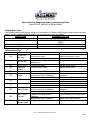
Dacor Classic Wall Oven and Range ERC Quick Test
Wall Oven Models: CPS/CPD, CPTS/CPTD, ECS/ECD, PCS/PCD, MCS/MCD Single & Double Ovens, 27” & 30”
Range Models: PGR30, RSE30, RSG30, RSD30, ERD30-60, ERDE36-48 MRE, MRES30, EGR30, ERG30-36
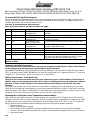
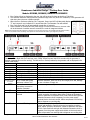
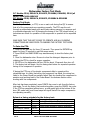
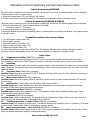
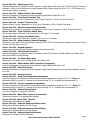
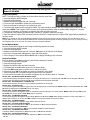
To access the ERC Quick Test Program:
Turn circuit breaker off or disconnect power to unit, count to five and then turn power back on. Make sure time of day is
blinking. Push and hold COOK TIME. Within 5-10 seconds the EEPROM number will display. The display will show the 4character identification code of the ERC. Example (1180)
You have 30 seconds between each test mode.
Note: If unit shows time of day start procedure over again.
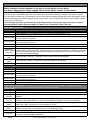
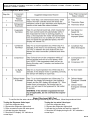
Test:
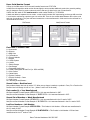
1
Membrane Key:
Convection Bake
2
3
Bake
Pure Convection
4
Broil
5
Convection Broil
Component Activated:
Bake Element &
Convection Fan
Bake Element
Convection Element &
Convection Fan
Broil Element or Broil
Ignitor (on gas units)
Broil Element &
Convection Fan
Audible Tone
Cooling Fan
Clock LED’s
Door Latch
Description:
PRESS and HOLD to activate Bake Element and Convection
Fan Motor
Press and Hold to activate the Bake Element Only
PRESS and HOLD to activate Convection Element and
Convection Fan Motor
Press and Hold to activate the Broil Element or Ignitor Only
PRESS and HOLD to activate Broil Element and Convection
Fan Motor (select Models only)
6
Timer 2
PRESS and HOLD to activate the Audible Tone
7
Stop Time
PRESS and HOLD to activate the Cooling Fan Only.
8
Clock
PUSH and HOLD to momentarily view all clock LED’s.
9
Cook Time
With Door Oven, PRESS and HOLD for 10 seconds to activate
Door Latch. Door Latch will complete one cycle. The Quick
Test will end and ERC will display the time of day.
Note: Holding the Membrane Key down for longer that 30 Seconds at a time could cause an F-0 (Stuck Key
Pad) Error Code.
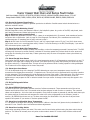
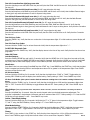
Celsius to Fahrenheit Conversion:
There have been some occurrences where the clock has changed from Fahrenheit to Celsius. If this situation
occurs please perform the following to reset the ERC for proper operation:
Press CONVECTION BAKE key. This will activate the convection bake cycle on the oven display. Adjust the temp to above
500˚F. Press and hold the CONVECTION BAKE key for about five seconds until the "C" appears and then hit +/- (slew) key
to toggle to "F". This will work in reverse if the temp for "C" is above 260˚C
Military Time Format – Clock Runs Fast:
There have been some occurrences where the Time readout has been in a 24 hour Military Time Format. In
addition, there are also instances where the clock is set for a 50 HZ operational mode causing the readout to
gain time. If either of these situations occurs please perform the following to reset the ERC for proper
operation:
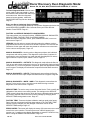
Turn power off at breaker, count to five and then turn power back on. Make sure time of day is blinking. Push and hold
CLOCK Key until a single digit number appears. You may then release the CLOCK Key. Using the "Time-Temp" arrow keys,
adjust the number in the display to read the digit "8", and release button. After approximately 15 seconds, the time of day
will appear. Set the clock to the correct time of day. The oven will now function properly.
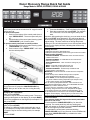
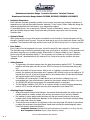
Adjusting the Cooling Fan Cutout Temperature (select Models):
Dacor wall ovens and ranges come preset with the cooling fan cut out preset at 300˚F. (Please note that 300˚F and the
indication 000 are the same.) In certain applications, (high or low ambient temps or high altitude) you may want to modify
the default setting of the cooling fan cutout temperature. It can be adjusted from 400˚F, 300˚F or 200˚F. To modify the
setting, please perform the following sequence waiting no more than three seconds between keystrokes.
• Press broil keypad
• Press the plus temperature keypad
• Press and hold the broil keypad until the display indicates three red numbers on the right side of the display
• Once the cutout temperature is displayed use the plus or minus temperature keypads to raise or lower the setting
• Press cancel secure
PG: 8