1
SIRIUS Satellite Radio™ tuning
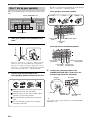
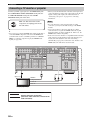
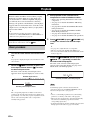
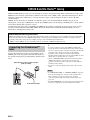
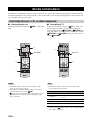
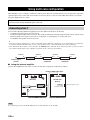
Before performing the following operations, set the operation
mode selector on the remote control to FSOURCE and then
press 4SIRIUS.
y
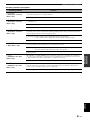
If a status message or an error message appears in the front panel
display or in the OSD, see the “SIRIUS Satellite Radio” section
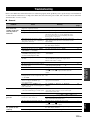
in “Troubleshooting” on page 118 for appropriate remedies.
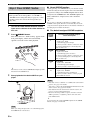
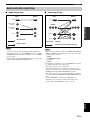
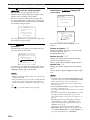
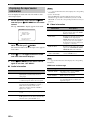
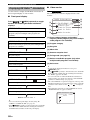
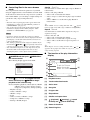
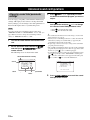
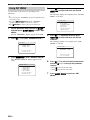
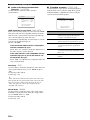
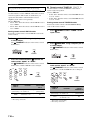
■ Displaying the SIRIUS Satellite Radio
information in the OSD
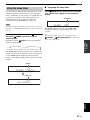
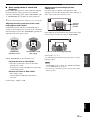
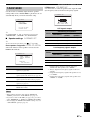
■ Displaying the SIRIUS Satellite Radio
information in the front panel display
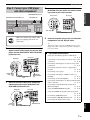
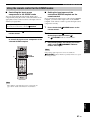
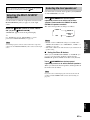
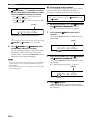
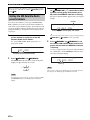
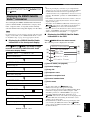
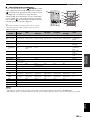
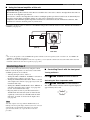
Press JDISPLAY on the remote control.
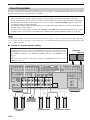
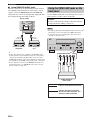
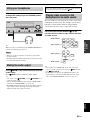
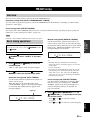
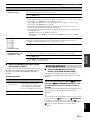
The following screen is displayed in the OSD.
Displaying the SIRIUS Satellite
Radio™ information
You can display the SIRIUS Satellite Radio information
(such as channel number, channel name, category, artist
name, composer name, or song title) for the currently
selected channel in the front panel display or in the OSD.
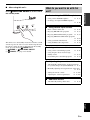
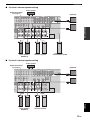
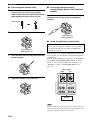
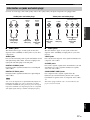
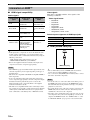
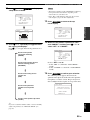
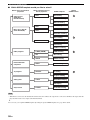
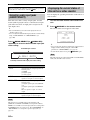
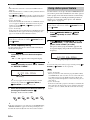
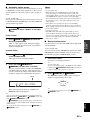
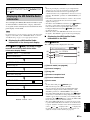
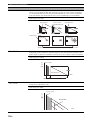
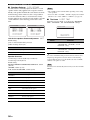
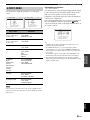
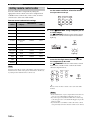
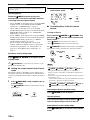
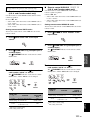
Press GINFO (or 0INFO) repeatedly to toggle
between the following SIRIUS Satellite Radio
information display modes.
CHANNEL INFO
[2]
e.g.) 008 Big '80s
Channel number/name
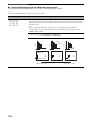
CATEGORY INFO
[1]
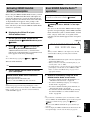
SIRIUSInformationANT:
[5]
ALLCHSEARCH
008:Big'80s
:Pop
:Sanumemo
[6]
[3]
:RoadtoIndia
[4]
C:FrankieZipper
BASIC
OPERATION
Note
• The front panel display can indicate up to 14 alphanumeric
characters at once. You can set whether to display the SIRIUS
Satellite Radio information in the front panel display in a
continuous manner or by 14 alphanumeric characters at once by
using the “FL SCROLL” parameter in “OPTION MENU” (see
page 98).
• If the SIRIUS Satellite Radio information contains a character
that cannot be recognized by this unit, the character will be
displayed with a space.
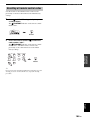
• To hold the current SIRIUS Satellite Radio information, press
8ENTER on the remote control while it is being displayed.
Press 8ENTER again to release the held information.
• When the antenna of the SiriusConnect tuner cannot receive the
signals, “ACQUIRING” appears in the front panel display.
• When an information is unavailable, “––––” appears.
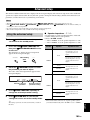
[7]
e.g.) Pop
[1] Search mode (see page 65)
Channel category
[2] Channel category
[3] Song title
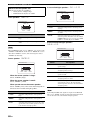
SONG INFO
e.g.) Sanumemo / Roa
[4] Composer name
Artist name / Song title
[5] Antenna reception level
[6] Channel number/name
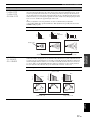
COMPOSER INFO
e.g.) Frankie Zipper
Composer name
ANTENNA INFO
y
e.g.) 043
ANT:
Channel number/Antenna reception level
DSP PROG. INFO
[7] Artist name
e.g.) 7ch Enhancer
Sound field program
-
Back to “CHANNEL INFO”
69 En
English
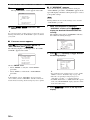
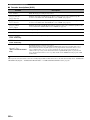
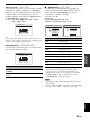
• To turn off the OSD, press JDISPLAY again.
• SIRIUS status messages also appear in the OSD.
• You can select the amount of time the SIRIUS Satellite Radio
information is displayed in the OSD by using the “OSDSOURCE” parameter in “OPTION MENU” (see page 98).
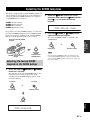
• To hold the SIRIUS Satellite Radio information, press
8ENTER on the remote control while it is being displayed in
the OSD. While this unit is holding the information screen,
“HOLD” appears in the OSD.
• The HOLD indicator flashes in the front panel display while
you are holding the SIRIUS information. Press 8ENTER
again or change the SIRIUS Satellite Radio channel to release
the held information.