1
2. Parallel Port communication Driver Installation method And
Frequently when the data communication error occur at Windows XP,2000,NT,Vista,Win7.
-root cause
1)Windows’ Printer Port Driver interfere the I2C communication..
-Solution
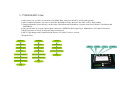
1)Update Driver from Parallel Port Driver(LPT1) to ‘MasTech I2c Communication Driver2’.
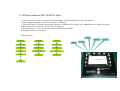
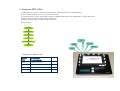
Desktop MyComputer ClickRightMouse Properties Harware Equipment Manager Port ECP PrinterPort(LPT1) ClickRightMouse Properties Drivers Update Driver
No, now no connect, 목록 또는 특정 위치에서 설치 검색 안함, 설치할 드라이브를 직접 선택
Disk Search winDDC Folder (MTPARISP.inf) .
Press button install the driver with OK, NEXT.
Use after reboot.
3.To recover original parallel port operation
- Solution
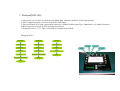
1)Desktop MyComputer ClickRightMouse Properties Hardware Equipment Manager Port MasTech I2c Communication Driver(LPT1) ClickRightMouse Properties Driver Rollback Driver