1
XL-HP535E
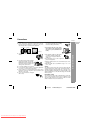
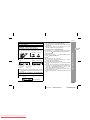
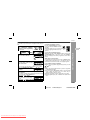
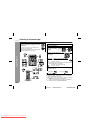
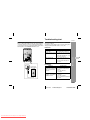
! Programmed play
1
2
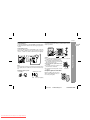
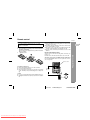
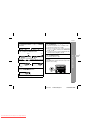
Whilst in the stop mode, press
the MEMORY/SET (MEMORY)
button to enter the programming
save mode.
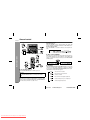
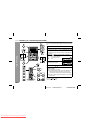
Press the direct search buttons
on the remote control to select
the desired track.
Selected track number
You can also select a track by pressing the
or
button.
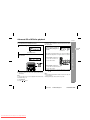
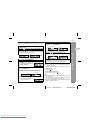
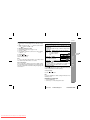
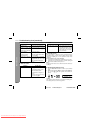
4
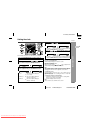
Press the MEMORY/SET (MEMORY) button to save the track
number.
5
Repeat steps 2 - 4 for other tracks. Up to 32 tracks can be
programmed.
If you make a mistake, the programmed tracks can be cleared
by pressing the CLEAR/DIMMER button.
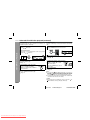
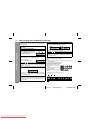
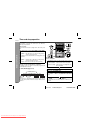
6
Press the (CD ) button.
The total number of memory will appear.
7
Press the
/
4
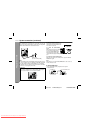
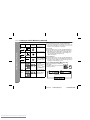
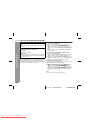
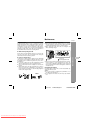
To cancel the programmed play mode:
Whilst in the stop mode and the "MEMORY" indicator is lit, press the
CLEAR/DIMMER button on the remote control. The "MEMORY"
indicator will disappear and all the programmed contents will be
cleared.
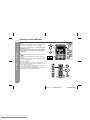
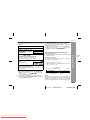
Press one of the 1 - 5 buttons
to select the desired disc.
Selected disc number
3
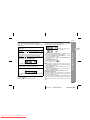
To clear the programmed selections:
Press the CLEAR/DIMMER button on the remote control whilst the "MEMORY" indicator
is flashing.
Each time the button is pressed, one track will
be cleared, beginning with the last track programmed.
Adding tracks to the programme:
If a programme has been previously stored, the "MEMORY" indicator will be displayed. Then follow steps 1 - 6 to add tracks. The new
tracks will be stored after the last track of the original programme.
To check which tracks are programmed:
Whilst the unit is stopped in the programmed play mode, press the
or
button.
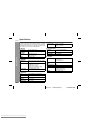
Notes:
" When a disc with programmed tracks is ejected, the programme
is automatically cancelled.
" Even if you press the ON/STAND-BY button to enter the stand-by
mode or change the function from CD to another, the programmed selections will not be cleared.
" During the programme operation, random play is not possible.
" During programmed play, the CD DIRECT PLAY button will not
work.
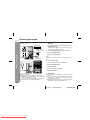
CD or MP3 disc Playback
You can choose up to 32 selections for playback in the order you
like.
button to start playback.
19
03/12/19
Downloaded From Disc-Player.com Sharp Manuals
XL-HP535E(A)2.fm
TINSEA042AWZZ