1
Manual Upgrade Procedures
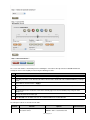
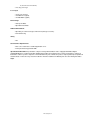
You can upgrade your Adtec device's firmware via built-in web-based application, described in the Upgrade Tab section, or via
a Telnet/FTP session, described in this article.
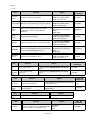
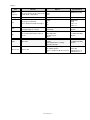
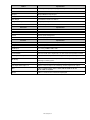
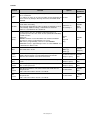
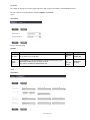
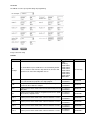
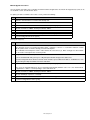
To update your device's firmware via a Telnet session, perform the following:
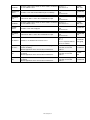
Step
Action
1
Obtain the desired firmware version file from adtecftp.com
2
Using any FTP client upload the firmware file to the device
3
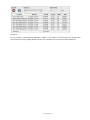
Open a Telnet session and enter the IP address of the unit you are going to update.
4
Enter the username as ' adtec ' and the password as ' none '.
5
Enter the following in sequence: * ST
6
* version search - from the results, look for the pathname of recently uploaded firmware file
7
* version install [pathname of the .tgz file]
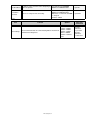
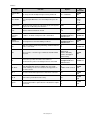
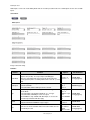
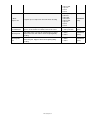
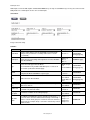
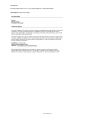
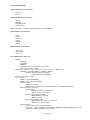
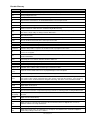
Manual Upgrade 'Step by Step'
Step
1
Action
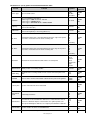
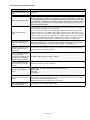
Obtain the desired firmware version file from www.adtecftp.com
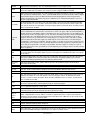
note*: Firmware releases are found in the Public Folders -> Firmware -> Release -> section of the website in a folder
with the product name. username: adtecftp password: adtecftp2231
note**: Windows Internet Explorer renames adtec firmware file extensions to .gz . When saving please add a t within
the extension to read .tgz if IE has renamed your file.
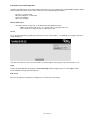
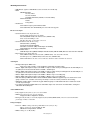
Use your favorite FTP client to upload the firmware file to the device.
2
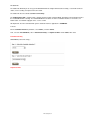
If you are unfamiliar with FTP you may use a 'My Computer' window and type in the address bar,
ftp://adtec:[email protected] where 192.168.10.48 should be replaced with the IP Address of YOUR device. You
may then drag and drop the firmware file into the hd0 folder.
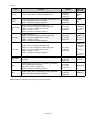
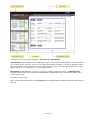
Open a Telnet session and enter the IP address of the unit you are going to update.
3
note*: If you are unfamiliar with telnet, open a command prompt window (windows: start -> run.., mac: macintosh hd
-> applications -> utilities -> terminal) and type: telnet 192.168.10.48
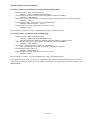
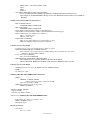
4
Enter the username as ' adtec ' and the password as ' none '.
5
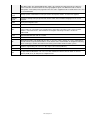
Enter the following in sequence: *.ecmd stop
6
*.sysd vrn search - from the results, look for the pathname of recently uploaded firmware file
7
*.sysd vrn install [pathname of the .tgz file]
www.adtecdigital.com