1
LOOPSENSE EN54
7.6
USER MANUAL
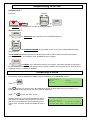
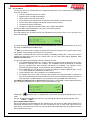
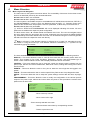
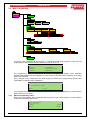
Menu > Programming
6
MNO
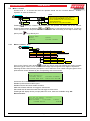
PROGRAMMING (*)
1
ENTER PASSWORD
ZONE
2
DEVICE
1
2
2
ADD
EDIT
DELETE
3
PANEL
3
2
1
INPUT
4
LOOP
OUTPUT
1
DESCRIPTOR
2
L2
L1
RELAY O/P
SUPERVISED O/P
4
3
2
1
OPEN COLLECTOR O/P
AUXILIARY O/P
4
SOUNDERS
1
GLOBAL
ACTIVATION
2
ZONE
ACTIVATION
5
LEARN OPTIONS
1
2
AUTO LEARN EXTRA DEVICES
1
1
YES
2
LEARN
3
4
MISMATCHED DEVICES
MISSING DEVICES
1
LEARN ALL
2
RESOLVE
RESOLVE ALL
2
1
DELETE
DELETE ALL
6
VERSION
This menu is only accessible at access level 3. If the active access level is less than 3 the user will
be prompted to enter password before allowing access to this menu.
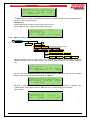
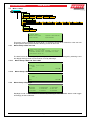
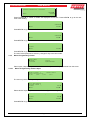
PROGRAMMING MENU
1►ZONE
2|DEVICE
3|PANEL
4|SOUNDERS
5|LEARN OPTIONS
6|VERSION
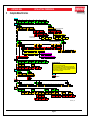
The programming menu is divided into a series of programming wizards. Each individual
programmable attribute will be displayed on each screen of the wizard and navigation and editing
options are displayed.
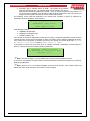
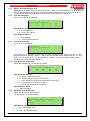
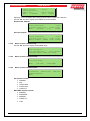
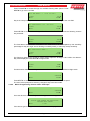
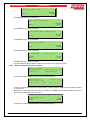
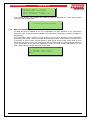
If any changes to the configuration are made during the course of the programming wizard a DO
YOU WANT TO SAVE screen is displayed:
CHANGES MADE
DO YOU WANT TO SAVE?
◄BACK
7.6.1
1:YES
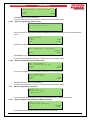
If no changes were made a NO CHANGES MADE splash screen will be displayed for a short period
before returning to the menu.
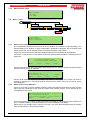
Menu->Programming->Zone
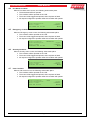
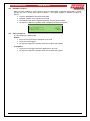
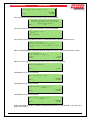
When this is selected the user is presented with the generic zone number selection screen followed
by the EDIT DESCRIPTION screen.
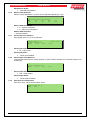
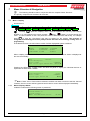
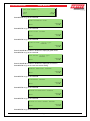
EDIT DESCRIPTOR
<descriptor>_
#CLEAR
◄BACK
DEL ▲
NEXT►
Page 30