1
Easy Start
5.3 Setting Up Security on a Local Powerline Device
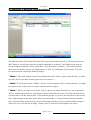
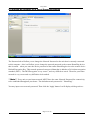
The Password tab will allow you to change the Network Password to the unit that is currently connected
to this computer . Also it will allow you to change the network password to the remote HomePlug device
that is scaned when you enter the device password of the remote HomePlug device to the remote device
Default Encryption Key .This network password encrypts all data that is added to a 56-bit data encryption
standard ( DES ) . The DES Encryption is very secure , and very difficult to crack . Therefore your home
network is very secure and very difficult to be breached .
**Note** Every unit on your home network MUST have the same Network Password for connectivity
to be established throughout your home . The default network password is " HomePlug" .
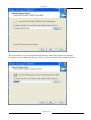
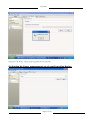
You may input a new network password. Then click the 'Apply' button. It will display a dialog such as :
Page 14 of 19