1
Specifications
Amplifier power output:
Satellite channel:
Subwoofer channel:
Signal-to-Noise Ratio:
Distortion:
Input interface:
Input impedance:
Sensitivity:
Volume Control:
Bass driver:
Satellite speaker driver:
Power Input:
Subwoofer dimension:
Satellite dimension:
Weight:
Troubleshooting Guide
RMS 4.5W X 2 (THD=10%,f0=1KHz)
RMS 12W (THD=10%,f0=80Hz)
85dBA
0.5%
3.5mm stereo headphone jack
10K ohm
Satellite channel 450mV±50mV
Subwoofer channel 150mV±50mV
System Volume, Bass level
4.5 inch (116mm), magnetically shielded, 6ohm
2 inch (52mm), magnetically shielded,4ohm
12V DC 1.65A MAX
162(W)×167(H)×267(D)mm
68(W)×105(H)×103(D)mm
Approximately 3.5kg
Edifier One Year Limited Warranty
Edifier warrants to the end user that all of its computer speaker systems are free from defects in materials and
workmanship in the course of normal and reasonable use for a term of one year from the date of purchase.
This warranty is the exclusive and only warranty in effect relative to Edifier multimedia speaker systems and any
other warranties, either expressed or implied, are invalid. Neither Edifier nor any authorized Edifier reseller is
responsible for any incidental or consequential damages incurred in the use of the speakers. (This limitation of
incidental or consequential damage is not applicable where prohibited.)
Edifier's obligation under this warranty does not apply to any defect, malfunction or failure as a result of misuse,
abuse, improper installation, use with faulty or improper equipment, or the use of the speaker systems with any
equipment for which they were not intended.
The terms of this warranty apply only to speaker systems when such speakers are returned to the respective
authorized Edifier reseller where they were purchased.
Under the terms of this warranty, the original consumer purchaser has certain legal rights and may have other
rights, which vary worldwide.
English
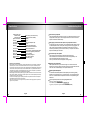
Sound from only one Speaker
Check if all speaker cable connections are correct. Try an alternate sound source such as a
CD player, MP3 or other player, in case the original sound source is at fault. Check if the
computer Soundcard is installed correctly.
When playing an audio CD from the computer, only one Speaker has sound.
This generally occurs with a new computer: only one satellite works when playing an audio
CD, but both speakers function correctly when running a WAV file or playing a game. The
reason for this is that the CD-ROM is not matched with the Soundcard, or one signal
channel maybe shorted to a ground wire. Please refer to your computer's user manual to
adjust the CD-ROM jumper connections.
No sound from any of the speakers
Check if the AC power is plugged in and the power outlet is switched “On”.
Check if the Mute button on Controller and/or PC Sound Card (if applicable) is “Off”.
Check if all speaker audio cable connections are correct.
Check if your external sound source equipment is working correctly.
Excessive noise from Speakers
Edifier speakers feature a very low noise circuit design. Your external sound source
equipment may have a poor signal-to-noise ratio. Unplug the input audio cable, and check
if the noise is from the CD/DVD player or the computer Soundcard, etc.
Magnetically Shielded Speakers
The subwoofers and satellite speakers of Edifier speaker system are all magnetically
shielded. You can place them near a TV or monitor. However, it is recommended that you
leave a 0.2-1 m distance between the speakers and monitor to avoid possible magnetic
interference.
If you have any further questions or concerns regarding Edifier Products
please visit our website at: www.edifier.com ,
or email Edifier Support for further assistance at: [email protected] ,
If you prefer, you may contact us by phone Toll Free: 1-877-EDIFIER (334-3437).
English