1
Table of Contents
DYNAMIC PATH FAILOVER FOR AIX ................................................ 3
Introduction............................................................................................ 3
SAN Management................................................................................... 4
Storage Management ............................................................................. 4
Path Management .................................................................................. 4
SCSI and FCP Drivers ........................................................................... 5
Load Balancing ...................................................................................... 5
HOW PREFERRED PATHS WORK........................................................ 6
Multiple LUNs........................................................................................ 6
More than two paths............................................................................... 6
Multiple Hosts ........................................................................................ 7
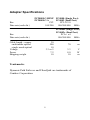
ADAPTER SPECIFICATIONS.................................................................. 9
Trademarks ............................................................................................ 9
SOFTWARE AND HARDWARE INSTALLATION............................. 10
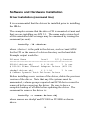
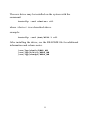
Driver Installation (command line)...................................................... 10
Driver Installation (smit) ..................................................................... 12
Hardware Installation.......................................................................... 13
AutoRecover ......................................................................................... 14
AIX Configuration................................................................................ 15
Persistent Bindings............................................................................... 16
SMIT COMMANDS .................................................................................. 17
Commands............................................................................................ 17
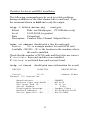
Path Management Commands ............................................................. 18
Manage Licensing ................................................................................ 19
How to set path preferences ................................................................. 20
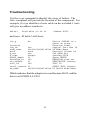
TROUBLESHOOTING ............................................................................ 22
ERROR MESSAGES................................................................................. 26
UPGRADING THE DRIVER ................................................................... 27
APPENDIX A ............................................................................................. 28
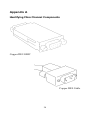
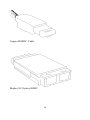
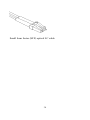
Identifying Fibre Channel Components ............................................... 28
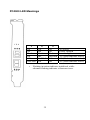
PC2000 LED Meanings ....................................................................... 31
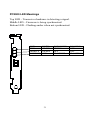
PC4000 LED Meanings ....................................................................... 32
1