1
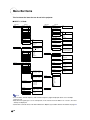
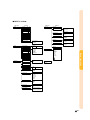
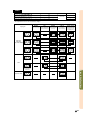
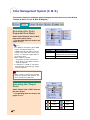
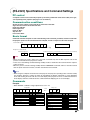
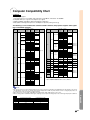
Menu Bar Items
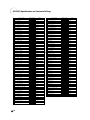
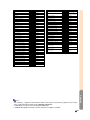
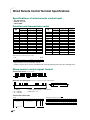
This list shows the items that can be set in the projector.
■ INPUT 1 / 2 Mode
Main menu
Picture
Page 46
Main menu
Sub menu
Options (1)
–30
+30
Bright
–30
+30
Color
–30
+30
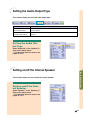
Speaker [ON/OFF]
Tint
–30
+30
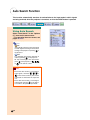
Auto Search [ON/OFF]
Sharp
–30
+30
DNR
OFF
Level 1
Red
–30
+30
OSD Display
Normal
Level A
Level B
Image Capture
Save Image
Delete
Background
Sharp
Custom
Blue
None
Startup Image
Sharp
Custom
None
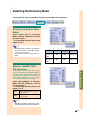
Economy Mode
Power Save [ON/OFF]
Mntr.out/RS232 [ON/OFF]
Auto Power Off [ON/OFF]
–30
Blue
CLR Temp
–3
Audio Out
Page 63
+30
+3
Reset
C.M.S.
Page 60
Sub menu
Contrast
Signal Type
RGB
Component
Progressive Mode
2D Progressive
3D Progressive
Film Mode
Standard
Custom 1
sRGB
Color Selected
Target
Lightness
–30
+30
Chroma
–30
+30
Hue
–30
+30
Custom 3
[R] Red
[Y] Yellow
[G] Green
[C] Cyan
[B] Blue
[M] Magenta
Options (2)
Page 70
PRJ Mode
Front
Ceiling + Front
Rear
Ceiling + Rear
Keylock Level
Normal
Level A
Level B
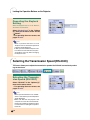
RS-232C
9600 bps
38400 bps
115200 bps
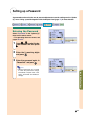
Password
Old Password
New Password
Reconfirm
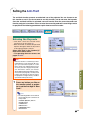
Anti-Theft
Old Code
New Code
Reconfirm
View Settings
Fine Sync
Page 48
Clock
–150
–30
Phase
H-Pos
–150
V-Pos
–60
+150
+30
+150
+60
Reset
Save Setting
Select Setting
Resolution Vert Freq
1 1024 × 768
60 Hz
2
800 × 600
75 Hz
Level 3
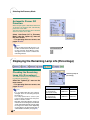
Lamp Life
Reset (This Color)
Reset (All Colors)
FAO
VAO
All Reset
•
•
7
Resolution Vert Freq
60 Hz
1 1024 × 768
75 Hz
2 800 × 600
Language
Page 36
•
•
7
Special Modes
1
2
3
4
•
•
Resolution
1024 × 864
1152 × 864
1152 × 870
1152 × 882
English
Deutsch
Español
Nederlands
Français
Italiano
Svenska
Português
7
Signal Info
Resolution
Hor Freq
Vert Freq
Auto Sync
OFF
Normal
High Speed
Auto Sync Disp [ON/OFF]
1024 × 768
48.4 KHz
60 Hz
Status
Page 78
Note
• The resolution, vertical frequency and horizontal frequency figures displayed above are for example
purposes only.
• Only when the signal type is set as “Component”, in the “Picture” menu of INPUT 1 or 2 “Color”, “Tint” and
“Sharp” are displayed.
• Some items cannot be reset, even when “All Reset” in Options (2) has been selected. For details see page 77.
-40