1
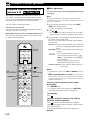
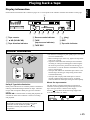
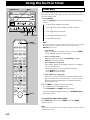
Playing back a tape
DISC 2
DISC 3
DISC CHANGE
VIDEO CD
3–DISC VCD CHANGER
PROGRAM
B.BOOST
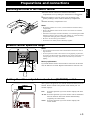
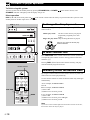
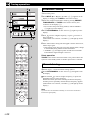
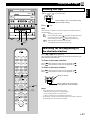
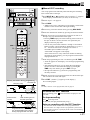
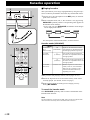
Winding the tape
1 Press
DIGITAL VIDEO
Version 2.0 / Playback Control
STANDBY
STANDBY
/ON
OPEN/CLOSE
or
English
DISC 1
to wind the tape.
MUSIC
TIMER
VOLUME
PRESET/TUNING/BAND
INPUT
A/B/C/D/E
Moves rapidly in the current tape running
direction while winding.
/
UP
DOWN
BASS
2 Press
TREBLE
PHONES
MODE
REC/
PAUSE
DOLBY NR
AUTO/
MANUAL
MEMORY
RANDOM
REPEAT
TIMER
TIME ADJ
HOUR
MIN
TIME
DISPLAY
Note
DIRECTION
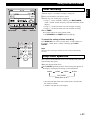
When the tape is wound to the end, the tape deck will then function as
described below.
: The tape stops at the end.
: If the winding direction is
, playback automatically starts
from the reverse side when the tape reaches the end.
, the tape stops at the end.
If the winding direction is
: When the tape reaches the end, playback
automatically starts from the reverse side.
KARAOKE
MIC MIXING
1
MIC
2
OPEN/CLOSE
AUTO REVERSE CASSETTE DECK
to stop.
DOLBY B NR
MIN
MAX
(stop)
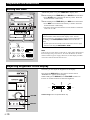
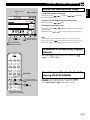
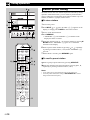
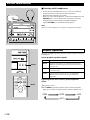
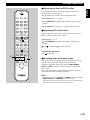
Searching for the beginning of
the desired selection
POWER
Press
or
during playback.
The tape deck will find a blank interval between selections and
start playback automatically.
1
2
3
1
4
2
5
3
6
4
7
5
8
6
9
7
0
8
TUNER
+I0
PROG
PRESET
R.TIME
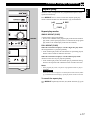
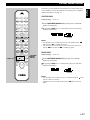
To listen to the next selection
B
DISC SKIP
C
MODE
Press
Press
PRESET
TIME
A
EDIT
D
To listen to the same selection
Press
Press
if the direction of the current playback is
if the direction of the current playback is
if the direction of the current playback is
if the direction of the current playback is
.
.
.
.
E
Blinks on and off.
RETURN
VCD/CD
/
SELECT
KARAOKE
INTRO
DIGEST
TIME INDEX
Moves rapidly in the current tape
running direction while searching.
TIME INDEX
(stop)
DIRECTION
Notes
TAPE
REC/ PAUSE
— LEVEL
TEST
CENTER/
REAR/ DELAY
PROGRAM
SLEEP
KEY/ECHO
MUSIC
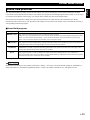
• This function may not work for tapes with
* Material with long pauses or quiet passages.
* Low recording levels or excessive noise.
* Pauses of less than 4 seconds between selections.
• If searching is carried out near the beginning or the end of a selection,
the searching may not be done successfully.
INPUT
VOLUME
E-27