1
Release 13.0 R2 | May 2015 | 3HE 09815 AAAB TQZZA Edition 01
12 — Daily maintenance tasks
12.1
Managing alarms
In large networks where the 5620 SAM is constantly interacting with a busy
network, many alarms are raised. You should review alarms on a daily basis to check
the type and characteristics of the alarms, and to resolve the network problems
caused by the alarms. You should immediately correct physical equipment failure
alarms or network device alarms.
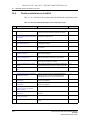
You can create search filters to identify alarms for a specific site or service, and view
up to six filtered alarm lists to monitor network wide issues.
You can also analyze the alarm history log on an as required basis to determine
whether there are any chronic or prolonged failures, or trends. See “To review
historical alarm records” in the 5620 SAM User Guide for more information.
Note — If your NOC is organized to feed alarm streams from
multiple vendor equipment to a third-party OSS, you should verify
that all alarms are correctly logged by the OSS and then remove the
alarms from the 5620 SAM GUI.
Daily maintenance operations that are performed on NEs can cause a large number
of alarms to be raised in the 5620 SAM. The OLC state of an object shows whether
the object is in service or in maintenance mode. You can filter alarms generated for
objects with a particular OLC state. See Section 15.13.
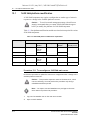
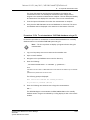
Procedure 12-1 To monitor incoming alarms
The dynamic alarm list allows you to monitor all incoming network and network
management domain alarms.
1
If required, choose Application→Alarm Window to enable the display of correlated
alarms in the alarm window.
2
Ensure that the Alarm Table tab in the Alarm Window at the bottom of the
5620 SAM client GUI is selected.
3
If required, configure the filter criteria to limit the range of alarms displayed or
to identify alarms for a specific site or service.
4
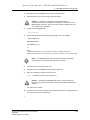
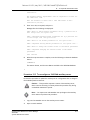
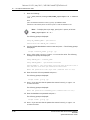
Right-click on an alarm entry row.
The contextual alarm menu appears.
5
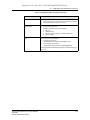
Handle the alarms according to your company alarm policies.
For example, to acknowledge an alarm and then delete the alarm:
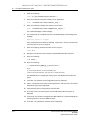
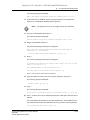
i
Choose Acknowledge Alarm(s).
The Alarm Acknowledgment form appears.
12-2
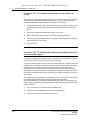
ii
Modify the Severity and Urgency parameters, as required.
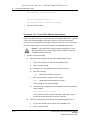
iii
In the Acknowledgment Text parameter, enter data about the alarm,
according to your company alarm policies.
Alcatel-Lucent 5620 Service Aware Manager
5620 SAM
System Administrator Guide