1
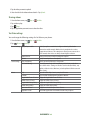
icon. Current users will receive email request and a request within Latitude.
If your friends aren’t using Latitude, they’ll receive a location request email, but they must sign into Latitude with a
supported Google account before they can accept your request. If you invite a friend who is not using a Google ID,
you or your friends will need to re-send any location requests once they have signed into Latitude with a supported
Google account.
Responding to an invitation
1. From the Home screen, tap
Apps >
Latitude.
2. Tap New sharing request.
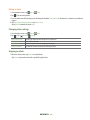
• Tap Accept and share back to share locations between you and your friend.
• Tap Accept, but hide my location to see the friend’s location, and hide your location.
• Tap Don’t accept to reject the request.
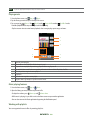
Viewing friends’ locations and managing friends
You can view your friends’ locations on a map or in a list.
• When you open Latitude, you are shown list of your Latitude friends with location summaries.
• When you open Maps, your friends’ locations are shown. Each friend is represented by a photo and arrow indicating their
approximate location. If a friend has chosen to share only city-level location details, the friend’s photo is shown in the friend’s
city center location.
Viewing friends’ profile
• While using Map mode, tap the friend’s photo. Your friend’s name appears in a balloon. Tap the balloon.
• From the Latitude friend’s list, tap a friend.
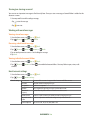
Managing friends’ communication and privacy options
1. From the Home screen, tap
Apps >
Latitude.
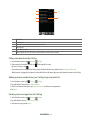
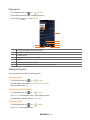
2. From a friend’s profile,
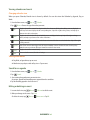
• Tap
to view the friend’s location on the map.
• Tap
to get directions to the friend’s location.
• Tap
to view the friend’s location in street view.
• Tap the friend’s photo to open Quick contact where you can view contact details, send an email, and more.
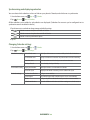
• Tap Sharing options to change sharing options for the friend.
Share best available location
Share your precise location information.
Share only city level location
Share only your city location, not a street-level location. Your friend will see your picture in the
middle of your current city.
Stop sharing your location with this friend.
Hide from this friend
• Tap Remove this friend to remove the friend from your list and stop sharing locations.
AUTHORITY 62